creating a nested function\nwhich formula is correct formatting for a nested function?\n=and(b2>3000,c2>2000…
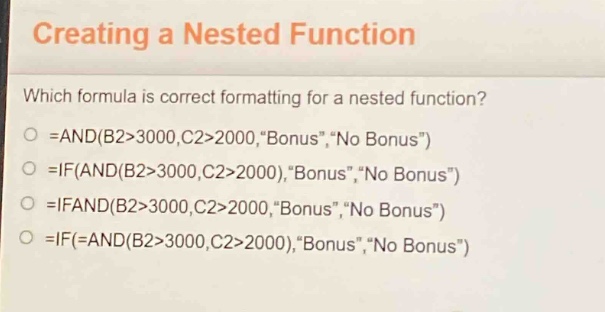
creating a nested function\nwhich formula is correct formatting for a nested function?\n=and(b2>3000,c2>2000,\bonus\,\no bonus\)\n=if(and(b2>3000,c2>2000),\bonus\,\no bonus\)\n=ifand(b2>3000,c2>2000,\bonus\,\no bonus\)\n=if(=and(b2>3000,c2>2000),\bonus\,\no bonus\)
Answer
Explanation:
Step1: Analyze the AND function
The AND function returns TRUE if all its arguments are TRUE. It is not used to directly return text like "Bonus" or "No Bonus". So the formula =AND(B2>3000,C2>2000,"Bonus","No Bonus") is incorrect.
Step2: Analyze the correct nested structure
The IF function has the syntax =IF(logical_test,value_if_true,value_if_false). Here, the logical_test should be the AND function result. The correct way is to nest the AND function inside the IF function. The formula =IF(AND(B2>3000,C2>2000),"Bonus","No Bonus") is correct. The formula =IFAND(B2>3000,C2>2000,"Bonus","No Bonus") is an incorrect function name (IFAND is not a valid Excel function combination in this way). The formula =IF(=AND(B2>3000,C2>2000),"Bonus","No Bonus") has an extra equal - sign inside the IF function which is incorrect.
Answer:
=IF(AND(B2>3000,C2>2000),"Bonus","No Bonus")