drag each label to the correct location on the image. list the dos and donts of safeguarding your password…
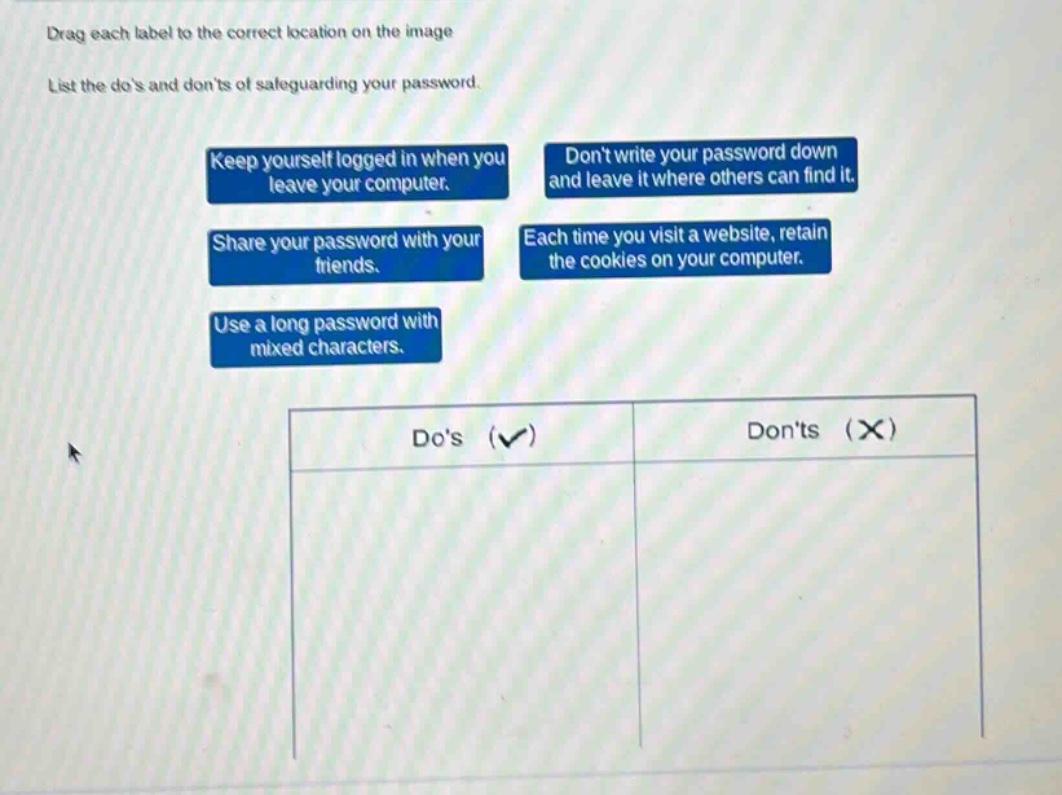
drag each label to the correct location on the image. list the dos and donts of safeguarding your password. keep yourself logged in when you leave your computer. dont write your password down and leave it where others can find it. share your password with your friends. each time you visit a website, retain the cookies on your computer. use a long password with mixed characters. dos (✓) donts (✗)
Answer
Brief Explanations:
Using a long password with mixed characters enhances security, so it's a do. Keeping logged - in when leaving a computer, sharing password with friends, writing password down where others can find it, and retaining cookies each time visiting a website can all compromise password security, so they are don'ts.
Answer:
Do's (✓): Use a long password with mixed characters. Don'ts (✗): Keep yourself logged in when you leave your computer., Share your password with your friends., Don't write your password down and leave it where others can find it., Each time you visit a website, retain the cookies on your computer.