which of the following shows the correct syntax for summing the selected data? =b2:b7 =sum(b2:b7)
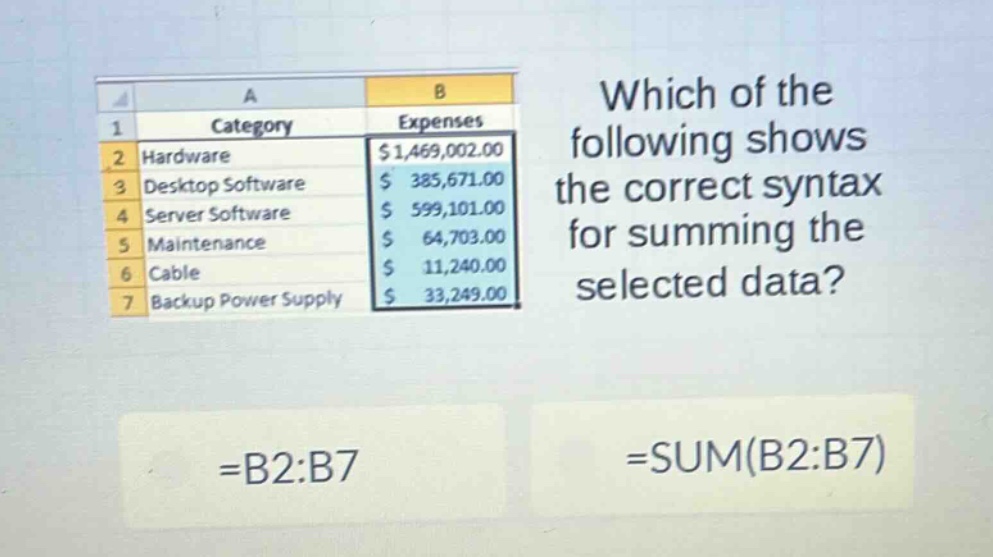
which of the following shows the correct syntax for summing the selected data? =b2:b7 =sum(b2:b7)
Answer
Explanation:
Step1: Understand cell - range notation
The notation =B2:B7 just represents a range of cells from B2 to B7. It does not perform any calculation.
Step2: Understand the SUM function
The SUM function in spreadsheet software is used to add up the values in a range of cells. The correct syntax to sum the values in cells B2 to B7 is =SUM(B2:B7).
Answer:
=SUM(B2:B7)