select \yes\ for the statements that are true, and \no\ for the phrase that is not true.\nwhen editing a…
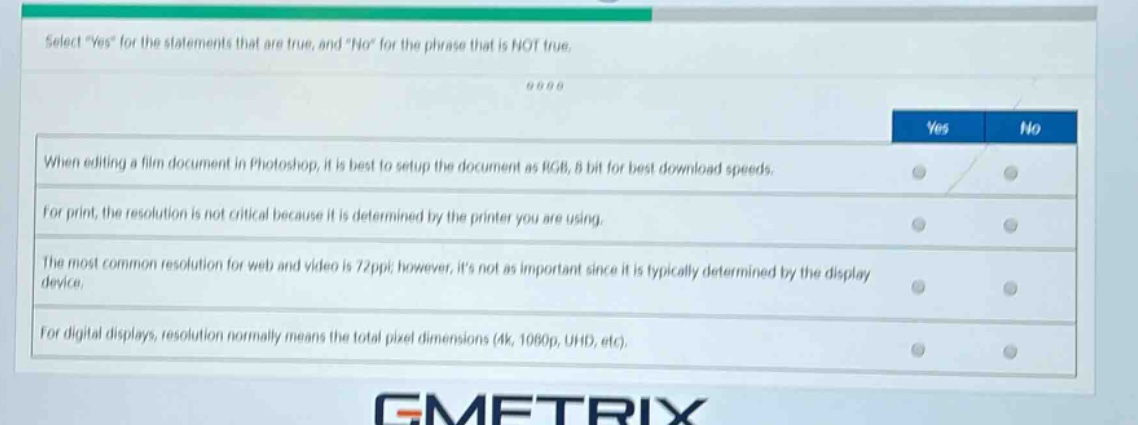
select \yes\ for the statements that are true, and \no\ for the phrase that is not true.\nwhen editing a film document in photoshop, it is best to setup the document as rgb, 8 bit for best download speeds.\nfor print, the resolution is not critical because it is determined by the printer you are using.\nthe most common resolution for web and video is 72ppi; however, its not as important since it is typically determined by the display device.\nfor digital displays, resolution normally means the total pixel dimensions (4k, 1080p, uhd, etc).
Answer
Brief Explanations:
- When editing a film document in Photoshop, RGB 8 - bit is not mainly for download speeds. It's a common color - mode for general editing, but download speed is more related to file size and network conditions. So, false.
- For print, resolution is very critical. A low - resolution image will look pixelated when printed, and it's not just determined by the printer. So, false.
- 72 ppi is a common resolution for web and video as it's suitable for display on most monitors, and it's related to the display device's native resolution. So, true.
- For digital displays, resolution indeed refers to total pixel dimensions like 4K (3840x2160), 1080p (1920x1080), UHD, etc. So, true.
Answer:
No No Yes Yes