part 1 notes: create a simple webpage using html to showcase your favorite video game or board game. your…
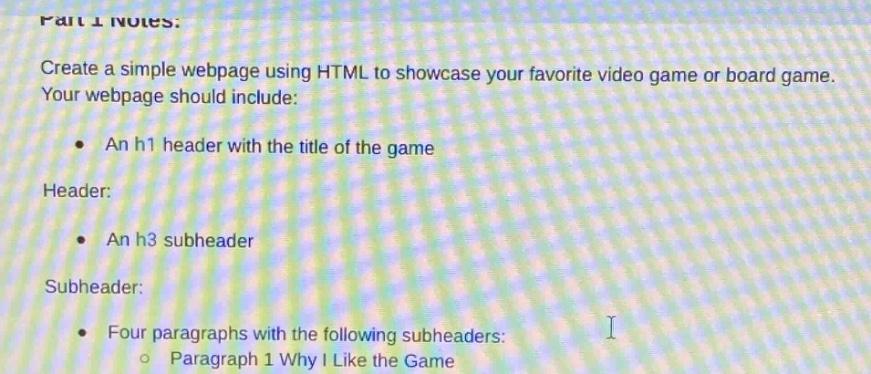
part 1 notes: create a simple webpage using html to showcase your favorite video game or board game. your webpage should include: an h1 header with the title of the game header: an h3 subheader subheader: four paragraphs with the following subheaders: paragraph 1 why i like the game
Answer
Answer:
<!DOCTYPE html>
<html>

<head>
  <title>My Favorite Game</title>
</head>

<body>
  <h1>My Favorite Video Game (replace with actual game title)</h1>
  <h3>Game - related Sub - header (replace with actual sub - header)</h3>
  <h4>Why I Like the Game</h4>
  <p>Here you can write about the aspects of the game that you enjoy, like gameplay mechanics, story, etc.</p>
  <h4>Second Paragraph Sub - header (you can create your own)</h4>
  <p>Write relevant content here.</p>
  <h4>Third Paragraph Sub - header (you can create your own)</h4>
  <p>Write relevant content here.</p>
  <h4>Fourth Paragraph Sub - header (you can create your own)</h4>
  <p>Write relevant content here.</p>
</body>

</html>
Explanation:
Step1: Document Type Declaration
<!DOCTYPE html> defines the document type as HTML5.
Step2: HTML Element
<html> is the root element of an HTML page.
Step3: Head Section
The <head> element contains meta - information about the page. Here, <title> sets the title shown in the browser tab.
Step4: Body Section
The <body> element contains the visible content. <h1> is used for the main title of the game, <h3> for a sub - header, and <h4> for sub - headers of paragraphs. <p> elements are used for the actual text content of the paragraphs.