QUESTION IMAGE
Question
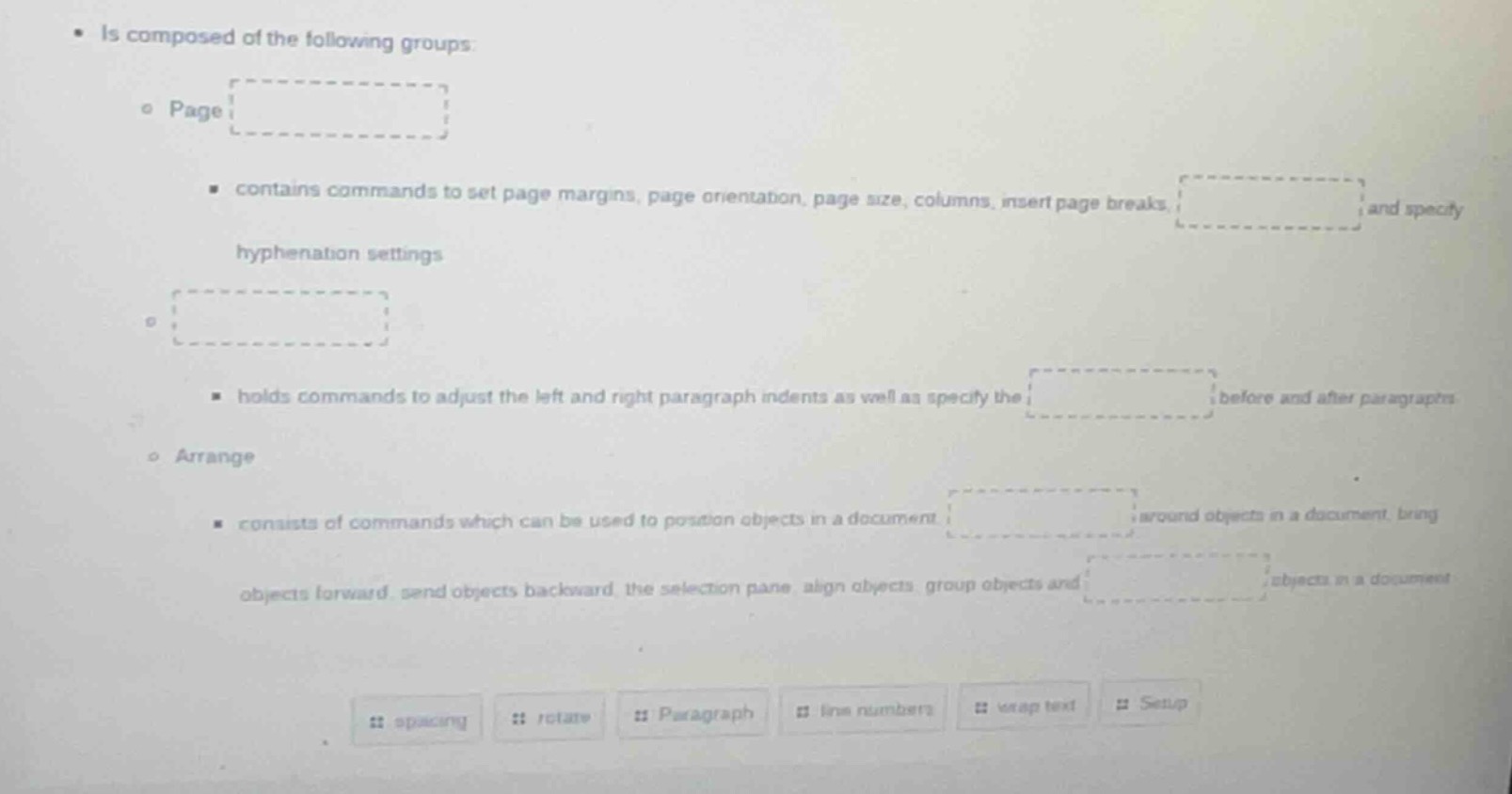
- is composed of the following groups:
◦ page
- contains commands to set page margins, page orientation, page size, columns, insert page breaks, and specify hyphenation settings
◦
- holds commands to adjust the left and right paragraph indents as well as specify the before and after paragraphs
◦ arrange
- consists of commands which can be used to position objects in a document, around objects in a document, bring objects forward, send objects backward, the selection pane, align objects, group objects and objects in a document
buttons: spacing, rotate, paragraph, line numbers, wrap text, setup
Brief Explanations
This is about matching Microsoft Word ribbon group commands to their descriptions:
- The Page group manages page layout settings like margins, orientation, and hyphenation, which pairs with "Setup".
- The group for paragraph indents and spacing before/after paragraphs is the Paragraph group, with the specific setting being "spacing".
- The Arrange group handles object positioning, wrapping, rotation, and grouping: positioning pairs with "wrap text", and object rotation/arrangement includes "rotate".

Snap & solve any problem in the app
Get step-by-step solutions on Sovi AI
Photo-based solutions with guided steps
Explore more problems and detailed explanations
- Page group blank: Setup
- Paragraph group (unnamed top blank): Paragraph; related setting blank: spacing
- Arrange group first blank: wrap text; Arrange group second blank: rotate