QUESTION IMAGE
Question
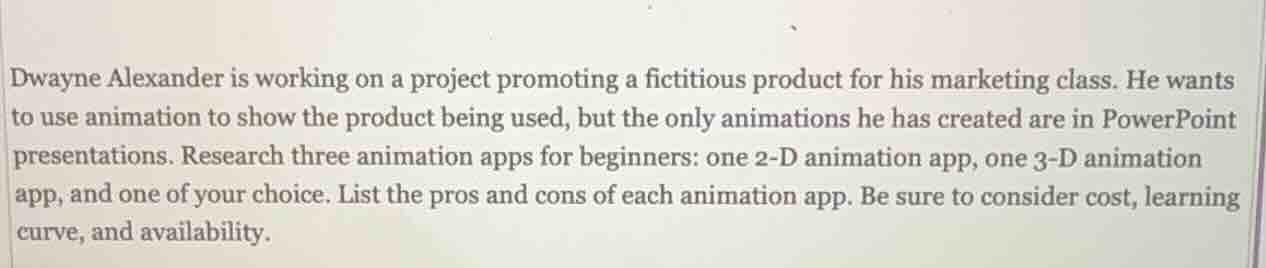
dwayne alexander is working on a project promoting a fictitious product for his marketing class. he wants to use animation to show the product being used, but the only animations he has created are in powerpoint presentations. research three animation apps for beginners: one 2 - d animation app, one 3 - d animation app, and one of your choice. list the pros and cons of each animation app. be sure to consider cost, learning curve, and availability.
Response
1. 2 - D Animation App: Pencil2D
Pros:
- Cost: It is open - source and free to use. This is beneficial for a student like Dwayne who may not want to spend money on software for a class project.
- Learning Curve: The interface is simple and intuitive, especially for beginners. It has basic drawing and animation tools that are easy to understand, so Dwayne can quickly start creating simple 2 - D animations for his product promotion.
- Availability: It is available for multiple operating systems including Windows, macOS, and Linux, so Dwayne can use it regardless of his computer's operating system.
Cons:
- Features: It lacks some advanced 2 - D animation features like advanced rigging or complex special effects. So, if Dwayne wants to create more sophisticated animations, he may find it limited.
- Export Options: The export options are not as extensive as some commercial software. For example, it may not support some of the more specialized video or animation formats that could be useful for integrating into his marketing materials.
2. 3 - D Animation App: Blender (has 3 - D animation capabilities)
Pros:
- Cost: Blender is open - source and free. This is a huge advantage for a student budget.
- Learning Curve: While it has a steeper learning curve compared to Pencil2D, it has a large and active community. There are numerous tutorials available online, including beginner - friendly ones, which can help Dwayne learn the basics of 3 - D animation for his project.
- Availability: It is available for Windows, macOS, and Linux. Also, it has a wide range of features for 3 - D modeling and animation, so Dwayne can create a more immersive 3 - D representation of his product.
Cons:
- Learning Curve (continued): The sheer number of features can be overwhelming for a complete beginner. It may take Dwayne some time to get comfortable with the interface and the different tools for 3 - D animation, especially if he has no prior 3 - D experience.
- Hardware Requirements: For more complex 3 - D animations, it may require a relatively powerful computer with a good graphics card. If Dwayne's computer has limited hardware capabilities, he may face performance issues.
3. Animation App (Choice): Adobe Animate
Pros:
- Features: It has a wide range of features for both 2 - D and some basic 3 - D - like animations. It offers advanced drawing tools, rigging options, and good integration with other Adobe products. This can be useful if Dwayne wants to create high - quality animations for his marketing project.
- Learning Curve: For those who are familiar with other Adobe products (like Photoshop or Illustrator), the learning curve is relatively smooth as the interface has some similarities. There are also many Adobe - created tutorials available.
- Availability: It is available for Windows and macOS, which covers most student computer setups.
Cons:
- Cost: Adobe Animate is a commercial software and requires a subscription. This can be a problem for Dwayne as a student, as the subscription cost may be outside his budget.
- Hardware Requirements: It can be resource - intensive, especially when working on larger or more complex animations. If Dwayne's computer is not very powerful, he may experience slowdowns.

Snap & solve any problem in the app
Get step-by-step solutions on Sovi AI
Photo-based solutions with guided steps
Explore more problems and detailed explanations
1. 2 - D Animation App: Pencil2D
Pros:
- Cost: It is open - source and free to use. This is beneficial for a student like Dwayne who may not want to spend money on software for a class project.
- Learning Curve: The interface is simple and intuitive, especially for beginners. It has basic drawing and animation tools that are easy to understand, so Dwayne can quickly start creating simple 2 - D animations for his product promotion.
- Availability: It is available for multiple operating systems including Windows, macOS, and Linux, so Dwayne can use it regardless of his computer's operating system.
Cons:
- Features: It lacks some advanced 2 - D animation features like advanced rigging or complex special effects. So, if Dwayne wants to create more sophisticated animations, he may find it limited.
- Export Options: The export options are not as extensive as some commercial software. For example, it may not support some of the more specialized video or animation formats that could be useful for integrating into his marketing materials.
2. 3 - D Animation App: Blender (has 3 - D animation capabilities)
Pros:
- Cost: Blender is open - source and free. This is a huge advantage for a student budget.
- Learning Curve: While it has a steeper learning curve compared to Pencil2D, it has a large and active community. There are numerous tutorials available online, including beginner - friendly ones, which can help Dwayne learn the basics of 3 - D animation for his project.
- Availability: It is available for Windows, macOS, and Linux. Also, it has a wide range of features for 3 - D modeling and animation, so Dwayne can create a more immersive 3 - D representation of his product.
Cons:
- Learning Curve (continued): The sheer number of features can be overwhelming for a complete beginner. It may take Dwayne some time to get comfortable with the interface and the different tools for 3 - D animation, especially if he has no prior 3 - D experience.
- Hardware Requirements: For more complex 3 - D animations, it may require a relatively powerful computer with a good graphics card. If Dwayne's computer has limited hardware capabilities, he may face performance issues.
3. Animation App (Choice): Adobe Animate
Pros:
- Features: It has a wide range of features for both 2 - D and some basic 3 - D - like animations. It offers advanced drawing tools, rigging options, and good integration with other Adobe products. This can be useful if Dwayne wants to create high - quality animations for his marketing project.
- Learning Curve: For those who are familiar with other Adobe products (like Photoshop or Illustrator), the learning curve is relatively smooth as the interface has some similarities. There are also many Adobe - created tutorials available.
- Availability: It is available for Windows and macOS, which covers most student computer setups.
Cons:
- Cost: Adobe Animate is a commercial software and requires a subscription. This can be a problem for Dwayne as a student, as the subscription cost may be outside his budget.
- Hardware Requirements: It can be resource - intensive, especially when working on larger or more complex animations. If Dwayne's computer is not very powerful, he may experience slowdowns.