QUESTION IMAGE
Question
matching
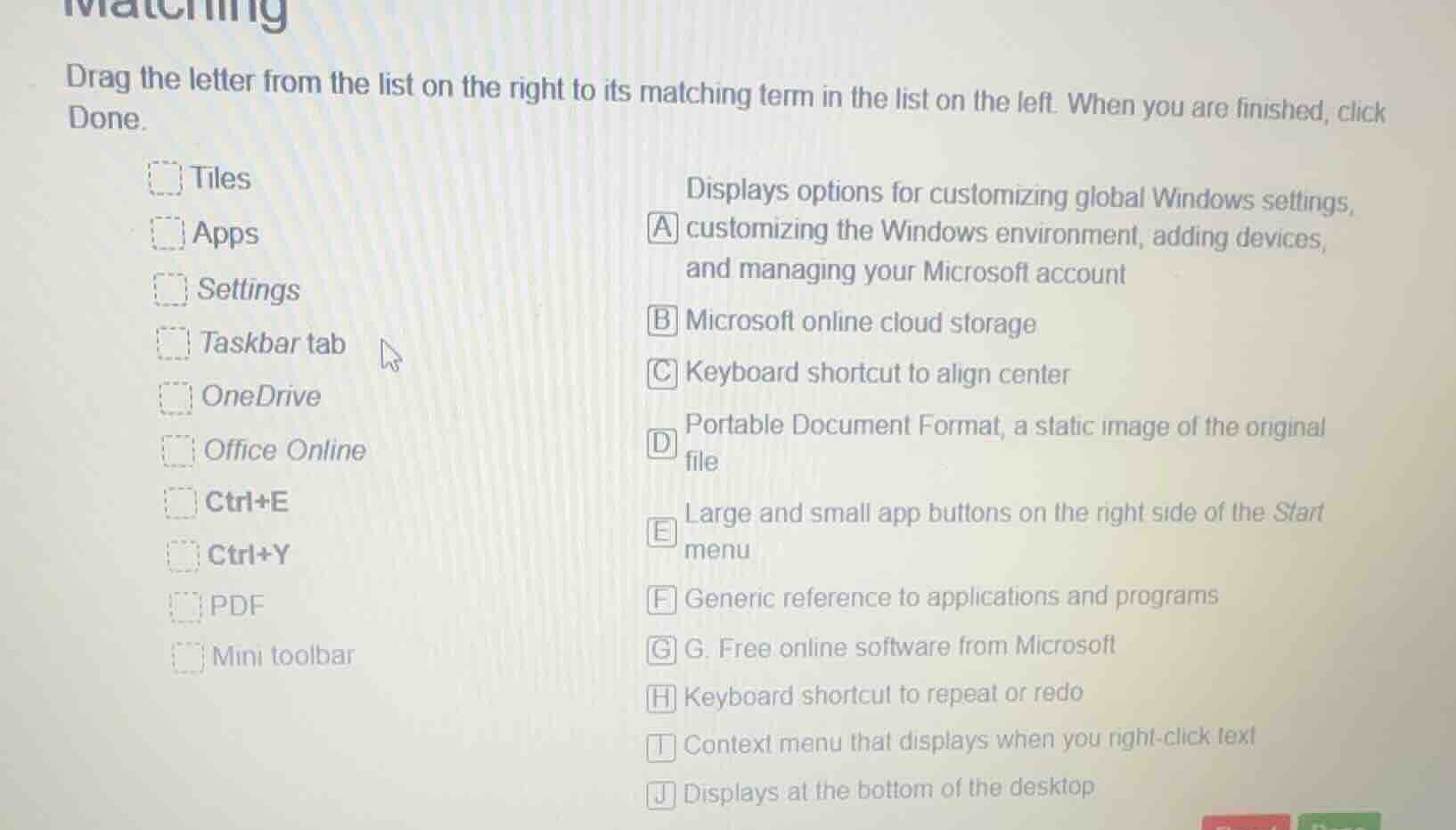
drag the letter from the list on the right to its matching term in the list on the left. when you are finished, click done.
tiles
apps
settings
taskbar tab
onedrive
office online
ctrl+e
ctrl+y
pdf
mini toolbar
displays options for customizing global windows settings, a customizing the windows environment, adding devices, and managing your microsoft account
b microsoft online cloud storage
c keyboard shortcut to align center
d portable document format, a static image of the original file
e large and small app buttons on the right side of the start menu
f generic reference to applications and programs
g g. free online software from microsoft
h keyboard shortcut to repeat or redo
i context menu that displays when you right - click text
j displays at the bottom of the desktop
To solve this matching problem, we analyze each term on the left and match it with the appropriate description on the right:
- Tiles: These are the large and small app buttons on the right side of the Start menu, so match with E.
- Apps: A generic reference to applications and programs, so match with F.
- Settings: Displays options for customizing global Windows settings, customizing the Windows environment, adding devices, and managing your Microsoft account, so match with A.
- Taskbar tab: Displays at the bottom of the desktop, so match with J.
- OneDrive: Microsoft online cloud storage, so match with B.
- Office Online: Free online software from Microsoft, so match with G.
- Ctrl+E: Keyboard shortcut to align center, so match with C.
- Ctrl+Y: Keyboard shortcut to repeat or redo, so match with H.
- PDF: Portable Document Format, a static image of the original file, so match with D.
- Mini toolbar: Context menu that displays when you right - click text, so match with I.

Snap & solve any problem in the app
Get step-by-step solutions on Sovi AI
Photo-based solutions with guided steps
Explore more problems and detailed explanations
Tiles - E. Large and small app buttons on the right side of the Start menu
Apps - F. Generic reference to applications and programs
Settings - A. Displays options for customizing global Windows settings, customizing the Windows environment, adding devices, and managing your Microsoft account
Taskbar tab - J. Displays at the bottom of the desktop
OneDrive - B. Microsoft online cloud storage
Office Online - G. Free online software from Microsoft
Ctrl+E - C. Keyboard shortcut to align center
Ctrl+Y - H. Keyboard shortcut to repeat or redo
PDF - D. Portable Document Format, a static image of the original file
Mini toolbar - I. Context menu that displays when you right - click text