QUESTION IMAGE
Question
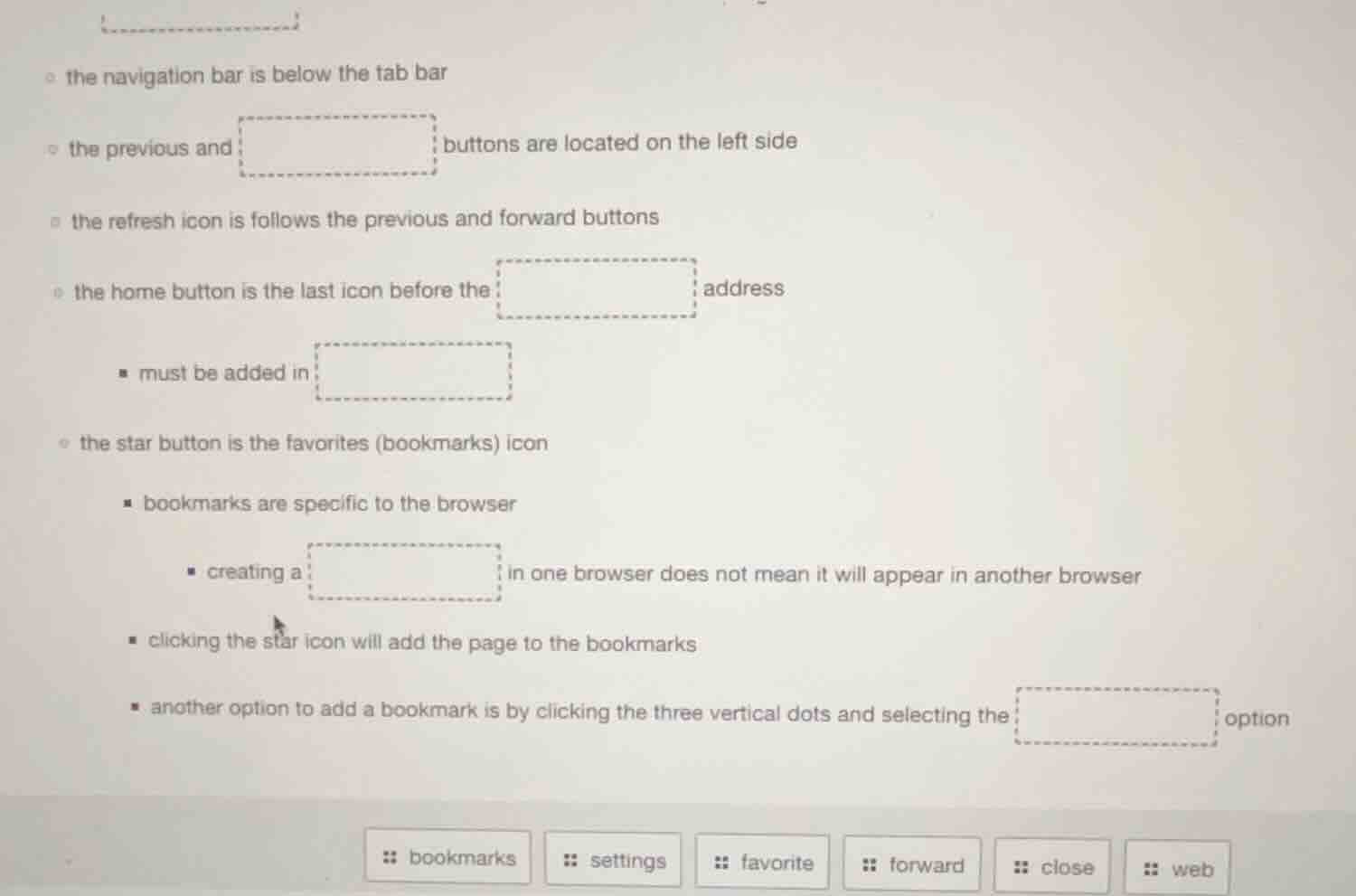
the navigation bar is below the tab bar
the previous and buttons are located on the left side
the refresh icon is follows the previous and forward buttons
the home button is the last icon before the address
- must be added in
the star button is the favorites (bookmarks) icon
- bookmarks are specific to the browser
- creating a in one browser does not mean it will appear in another browser
- clicking the star icon will add the page to the bookmarks
- another option to add a bookmark is by clicking the three vertical dots and selecting the option
bookmarks settings favorite forward close web
Brief Explanations
Match the terms from the options to the context of each blank based on standard web browser UI and functionality:
- The left side of browser navigation has previous and forward buttons.
- The home button precedes the web address bar.
- Browser settings are where certain configurations must be added.
- Bookmarks created in one browser don't transfer to another.
- The three-dot menu has a bookmarks option to save pages.

Snap & solve any problem in the app
Get step-by-step solutions on Sovi AI
Photo-based solutions with guided steps
Explore more problems and detailed explanations
- the previous and forward buttons are located on the left side
- the home button is the last icon before the web address
- must be added in settings
- creating a bookmark in one browser does not mean it will appear in another browser
- another option to add a bookmark is by clicking the three vertical dots and selecting the bookmarks option