QUESTION IMAGE
Question
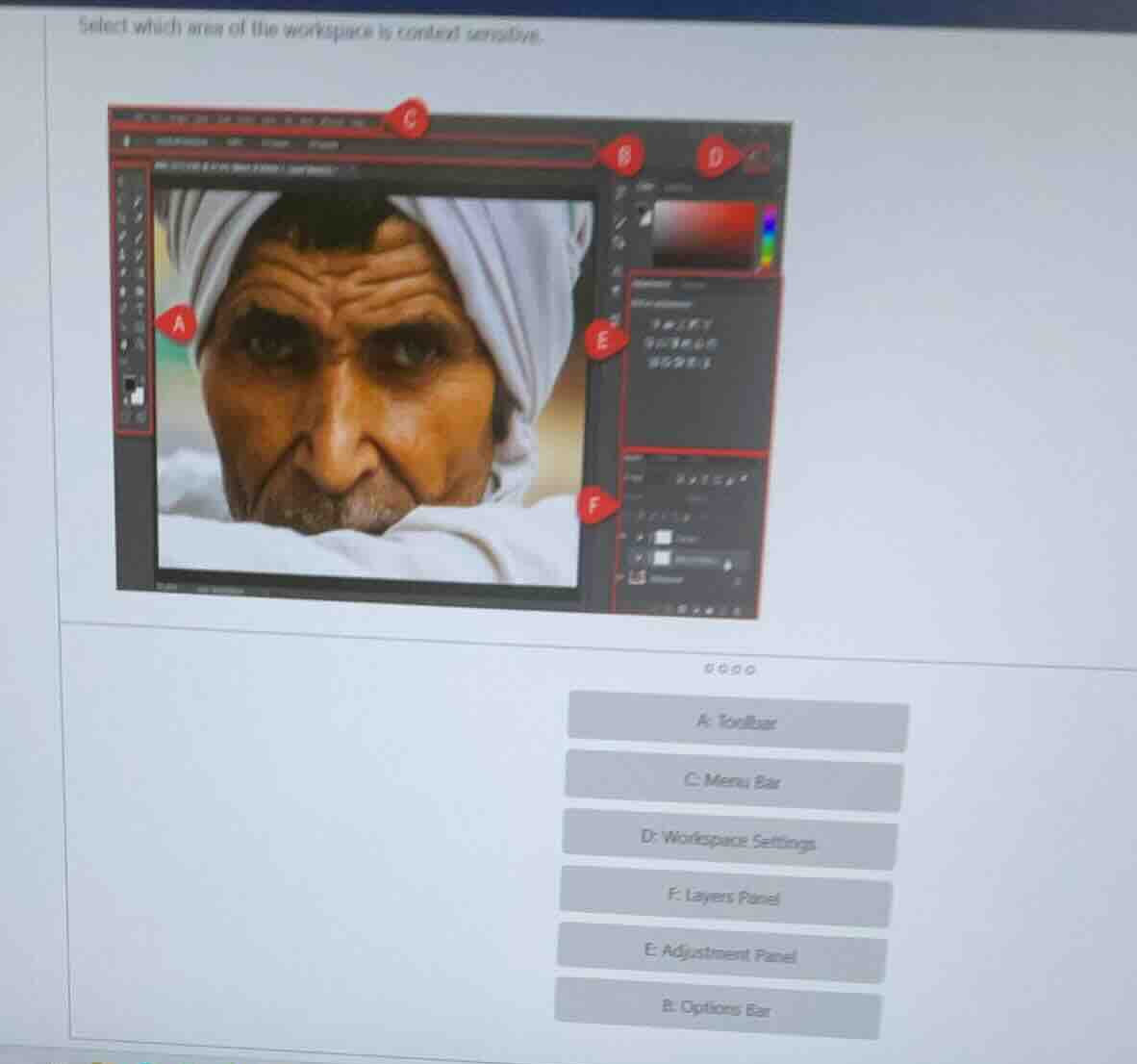
select which area of the workspace is context sensitive.
a: toolbar
c: menu bar
d: workspace settings
f: layers panel
e: adjustment panel
b: options bar
Brief Explanations
The Options Bar (area B) in Adobe Photoshop (the workspace shown) is context-sensitive: its options change based on which tool is selected from the Toolbar (area A). For example, selecting a brush tool shows brush size/opacity settings, while selecting a crop tool shows aspect ratio/cropping options. Other areas like the Toolbar, Menu Bar, or panels have fixed or non-context-dependent functions.

Snap & solve any problem in the app
Get step-by-step solutions on Sovi AI
Photo-based solutions with guided steps
Explore more problems and detailed explanations
B. Options Bar