QUESTION IMAGE
Question
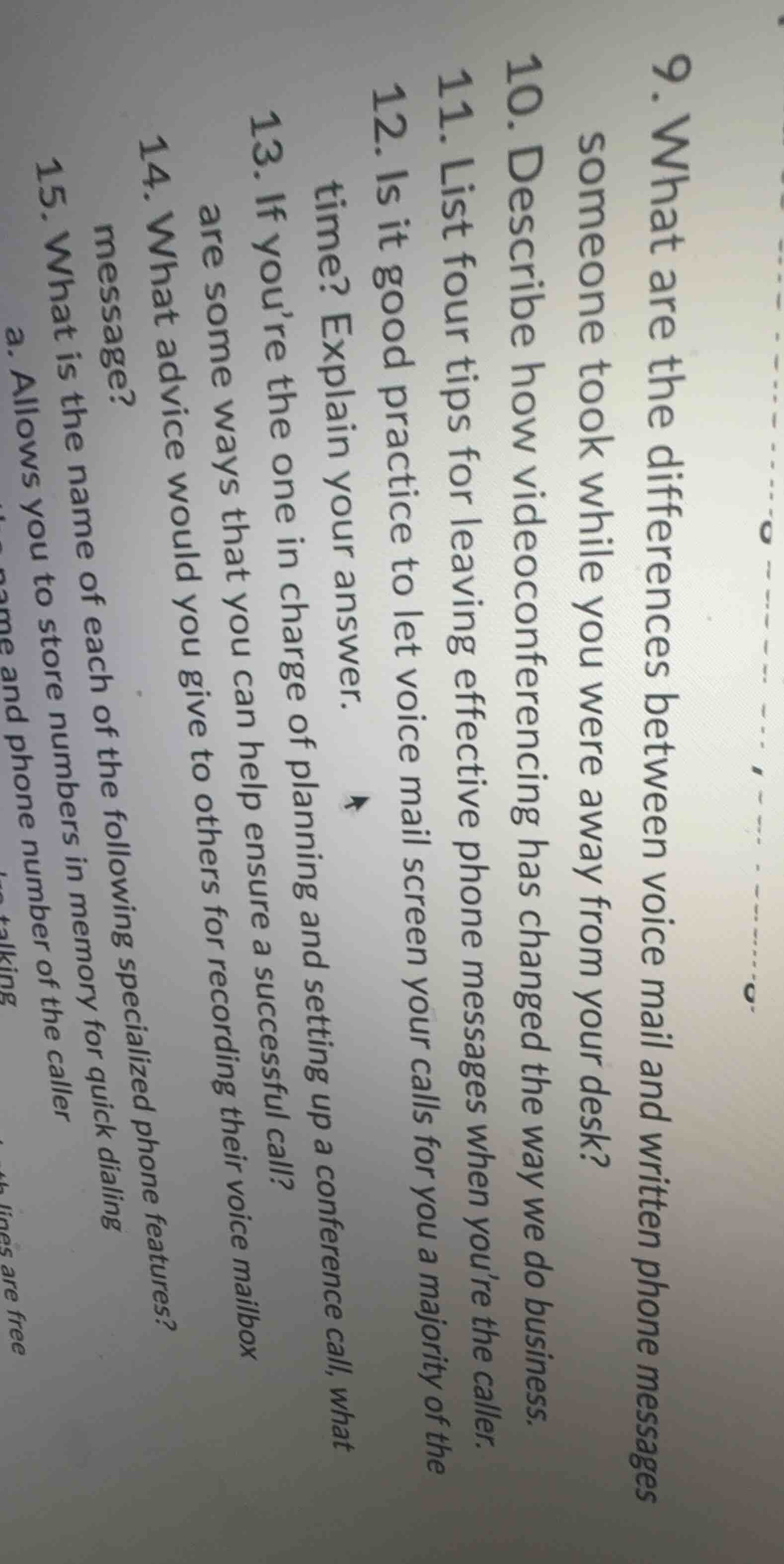
- what are the differences between voice mail and written phone messages someone took while you were away from your desk?
- describe how videoconferencing has changed the way we do business.
- list four tips for leaving effective phone messages when you’re the caller.
- is it good practice to let voice mail screen your calls for you a majority of the time? explain your answer.
- if you’re the one in charge of planning and setting up a conference call, what are some ways that you can help ensure a successful call?
- what advice would you give to others for recording their voice mailbox message?
- what is the name of each of the following specialized phone features?
a. allows you to store numbers in memory for quick dialing
b. allows you to store the name and phone number of the caller
To answer these questions, we'll address each one:
Question 9: Differences between voice mail and written phone messages
- Voice Mail:
- Audio - based, stored digitally in a system (e.g., a voicemail server).
- Can capture tone, emotion, and inflection of the caller’s voice.
- Accessed by dialing a specific number (or via a device) and entering a password (usually).
- Often has time limits on messages (e.g., 1 - 5 minutes per message depending on the system).
- Good for complex or urgent messages where tone matters.
- Written Phone Messages:
- Text - based, typically written on a notepad or in a digital note - taking app.
- Captures key details like caller’s name, number, message, and time of call.
- No tone or emotion conveyed (just the words).
- Can be easily referenced, filed, or shared as text.
- Good for simple, straightforward messages that need to be documented clearly.
Question 10: How videoconferencing has changed business
- Communication:
- Allows face - to - face interaction without travel. Teams in different countries can meet instantly.
- Saves time and money on business travel (e.g., no need for expensive flights or hotel stays for meetings).
- Collaboration:
- Enables real - time collaboration on documents (using screen - sharing features). Teams can work on projects together even if they’re not in the same office.
- Allows for quick decision - making as stakeholders can be brought into a meeting rapidly, regardless of location.
- Workforce:
- Supports remote work. Companies can hire talent from anywhere in the world, as employees can participate in meetings from their home offices.
- Increases work - life balance for employees as they spend less time commuting to in - person meetings.
- Global Reach:
- Small businesses can now interact with international clients or partners easily, expanding their market reach without a physical presence in other countries.
Question 11: Four tips for leaving effective phone messages
- Be Clear and Concise:
- State your name, the reason for your call, and your contact information (phone number, email if relevant) clearly. Avoid rambling. For example, “Hi, this is John Smith. I’m calling about the report we discussed. You can reach me at 555 - 1234.”
- Speak Slowly and Clearly:
- Enunciate your words, especially your name and contact details. This ensures the recipient can understand you, even if there is background noise or a poor connection.
- Leave a Good Time to Call Back:
- Mention when you’re available to receive a call back. For example, “I’ll be available to take your call between 9 am and 1 pm tomorrow.”
- Repeat Important Information:
- If you have a crucial detail like a phone number or a deadline, repeat it. For example, “My phone number is 555 - 1234, that’s 555 - 1234.”
Question 12: Is it good practice to let voice mail screen your calls for a majority of the time?
- Pros:
- Filters out unwanted calls (e.g., telemarketers, spam calls).
- Gives you time to prepare for a call (e.g., if you’re in the middle of a task, you can finish it and then check your voicemail).
- Cons:
- May make you seem unresponsive, especially for important or urgent calls from clients, colleagues, or family.
- Could lead to missed opportunities (e.g., a potential business partner might move on if they can’t reach you directly).
- Conclusion: It’s not good practice to rely on voicemail for the majority of calls. A better approach is to use voicemail selectively (e.g., duri…

Snap & solve any problem in the app
Get step-by-step solutions on Sovi AI
Photo-based solutions with guided steps
Explore more problems and detailed explanations
To answer these questions, we'll address each one:
Question 9: Differences between voice mail and written phone messages
- Voice Mail:
- Audio - based, stored digitally in a system (e.g., a voicemail server).
- Can capture tone, emotion, and inflection of the caller’s voice.
- Accessed by dialing a specific number (or via a device) and entering a password (usually).
- Often has time limits on messages (e.g., 1 - 5 minutes per message depending on the system).
- Good for complex or urgent messages where tone matters.
- Written Phone Messages:
- Text - based, typically written on a notepad or in a digital note - taking app.
- Captures key details like caller’s name, number, message, and time of call.
- No tone or emotion conveyed (just the words).
- Can be easily referenced, filed, or shared as text.
- Good for simple, straightforward messages that need to be documented clearly.
Question 10: How videoconferencing has changed business
- Communication:
- Allows face - to - face interaction without travel. Teams in different countries can meet instantly.
- Saves time and money on business travel (e.g., no need for expensive flights or hotel stays for meetings).
- Collaboration:
- Enables real - time collaboration on documents (using screen - sharing features). Teams can work on projects together even if they’re not in the same office.
- Allows for quick decision - making as stakeholders can be brought into a meeting rapidly, regardless of location.
- Workforce:
- Supports remote work. Companies can hire talent from anywhere in the world, as employees can participate in meetings from their home offices.
- Increases work - life balance for employees as they spend less time commuting to in - person meetings.
- Global Reach:
- Small businesses can now interact with international clients or partners easily, expanding their market reach without a physical presence in other countries.
Question 11: Four tips for leaving effective phone messages
- Be Clear and Concise:
- State your name, the reason for your call, and your contact information (phone number, email if relevant) clearly. Avoid rambling. For example, “Hi, this is John Smith. I’m calling about the report we discussed. You can reach me at 555 - 1234.”
- Speak Slowly and Clearly:
- Enunciate your words, especially your name and contact details. This ensures the recipient can understand you, even if there is background noise or a poor connection.
- Leave a Good Time to Call Back:
- Mention when you’re available to receive a call back. For example, “I’ll be available to take your call between 9 am and 1 pm tomorrow.”
- Repeat Important Information:
- If you have a crucial detail like a phone number or a deadline, repeat it. For example, “My phone number is 555 - 1234, that’s 555 - 1234.”
Question 12: Is it good practice to let voice mail screen your calls for a majority of the time?
- Pros:
- Filters out unwanted calls (e.g., telemarketers, spam calls).
- Gives you time to prepare for a call (e.g., if you’re in the middle of a task, you can finish it and then check your voicemail).
- Cons:
- May make you seem unresponsive, especially for important or urgent calls from clients, colleagues, or family.
- Could lead to missed opportunities (e.g., a potential business partner might move on if they can’t reach you directly).
- Conclusion: It’s not good practice to rely on voicemail for the majority of calls. A better approach is to use voicemail selectively (e.g., during meetings or focused work time) and be available to answer important calls when possible. You can also use features like “Do Not Disturb” with exceptions for certain contacts.
Question 13: If you’re in charge of planning and setting up a conference call, what are some ways to ensure a successful call?
- Plan Ahead:
- Determine the purpose of the call, the participants, and the agenda. Send the agenda to participants in advance so they know what to expect.
- Test the conference call system (e.g., the software or phone - based system) beforehand to ensure it works. Check audio quality, screen - sharing (if needed), and any other features.
- Provide Instructions:
- Send participants clear instructions on how to join the call (e.g., dial - in number, access code, link for online calls). Include troubleshooting tips (e.g., what to do if they can’t hear or be heard).
- Manage the Call:
- Start on time. Introduce all participants and review the agenda.
- Keep the call on track by guiding the discussion and ensuring each topic is covered.
- Encourage participation from all attendees, but also manage dominant speakers to ensure everyone has a chance to contribute.
- Follow - Up:
- After the call, send a summary of the discussion, action items, and deadlines to all participants. This ensures everyone is on the same page.
Question 14: What advice would you give to others for recording their voice mailbox message?
- Be Professional:
- Use a clear, polite tone. Avoid using slang or overly casual language. For example, “You’ve reached the voicemail of [your name]. Please leave your name, number, and a brief message, and I’ll get back to you as soon as possible.”
- Keep it Short and Informative:
- State the key information: who you are, what the caller should do (leave a message), and when they can expect a response (if applicable, e.g., “I typically return calls within 24 hours during business days”).
- Record in a Quiet Place:
- Ensure there is no background noise when you record your message. This makes your message clear and easy to understand.
- Update Regularly:
- If you’re going to be out of the office for an extended period or have a change in your availability, update your voicemail message to reflect that (e.g., “I’m currently out of the office until [date]. For urgent matters, please contact [alternate contact] at [number].”)
Question 15: What is the name of each of the following specialized phone features?
a. Allows you to store numbers in memory for quick dialing
This feature is called Speed Dial (or sometimes “Quick Dial”). You can program frequently called numbers (e.g., your boss’s number, a client’s number) into the phone, and then dial them with a single button or a short code (e.g., pressing “2” to call your main client).
(Assuming there are more parts, but based on the visible text, this is the first part)
These answers cover the key points for each of the questions related to phone communication in a business context.