QUESTION IMAGE
Question
2 what is inquizitive?
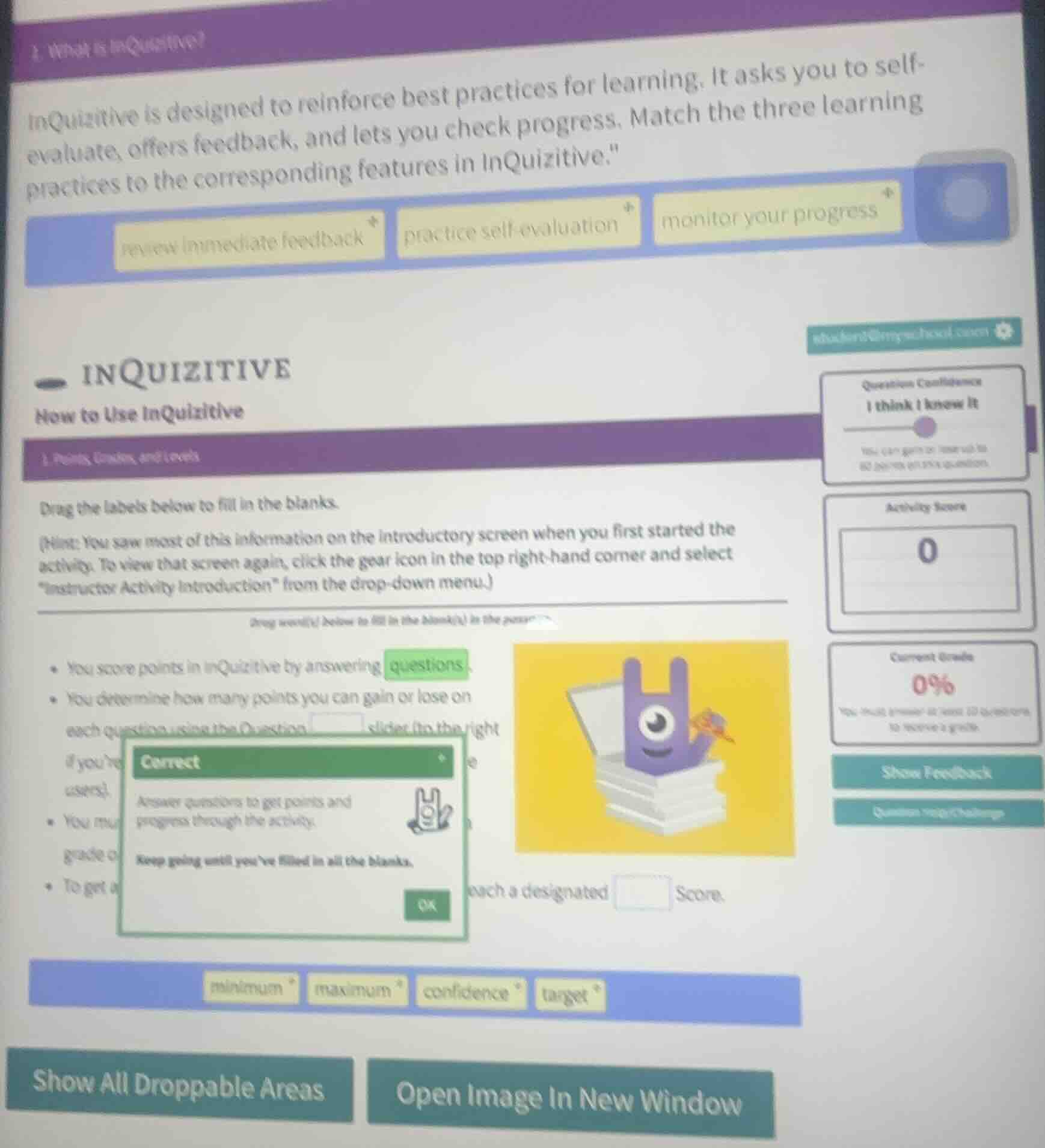
inquizitive is designed to reinforce best practices for learning. it asks you to self - evaluate, offers feedback, and lets you check progress. match the three learning practices to the corresponding features in inquizitive.
review immediate feedback practice self - evaluation monitor your progress
inquizitive
how to use inquizitive
- points, grades, and levels
drag the labels below to fill in the blanks.
(hint: you saw most of this information on the introductory screen when you first started the activity. to view that screen again, click the gear icon in the top right - hand corner and select “instructor activity introduction” from the drop - down menu.)
drag word(s) below to fill in the blank(s) in the passage
- you score points in inquizitive by answering questions.
- you determine how many points you can gain or lose on each question using the question slider (to the right if youre... users).
- you must... grade c
- to get a... such a designated score.
minimum maximum confidence target
show all droppable areas open image in new window
- For the blank in "You determine how many points you can gain or lose on each question using the Question ____ slider", the right label matches the "Question Confidence" slider shown on the right side of the interface.
- For the blank in "To get a grade, you must reach a designated ____ Score", "target" is the logical term for a required, predefined score to earn a grade.
- For the top matching task:
- "practice self-evaluation" matches the Question Confidence slider, as it lets you assess your own knowledge.
- "review immediate feedback" corresponds to the "Show Feedback" button, which provides instant response on answers.
- "monitor your progress" aligns with the Activity Score and Current Grade displays, which track your performance.

Snap & solve any problem in the app
Get step-by-step solutions on Sovi AI
Photo-based solutions with guided steps
Explore more problems and detailed explanations
Matching Task (Top Section)
- practice self-evaluation → Question Confidence slider
- review immediate feedback → Show Feedback feature
- monitor your progress → Activity Score/Current Grade displays
Fill-in-the-Blank Task (Bottom Section)
- You determine how many points you can gain or lose on each question using the Question confidence slider.
- To get a grade, you must reach a designated target Score.