QUESTION IMAGE
Question
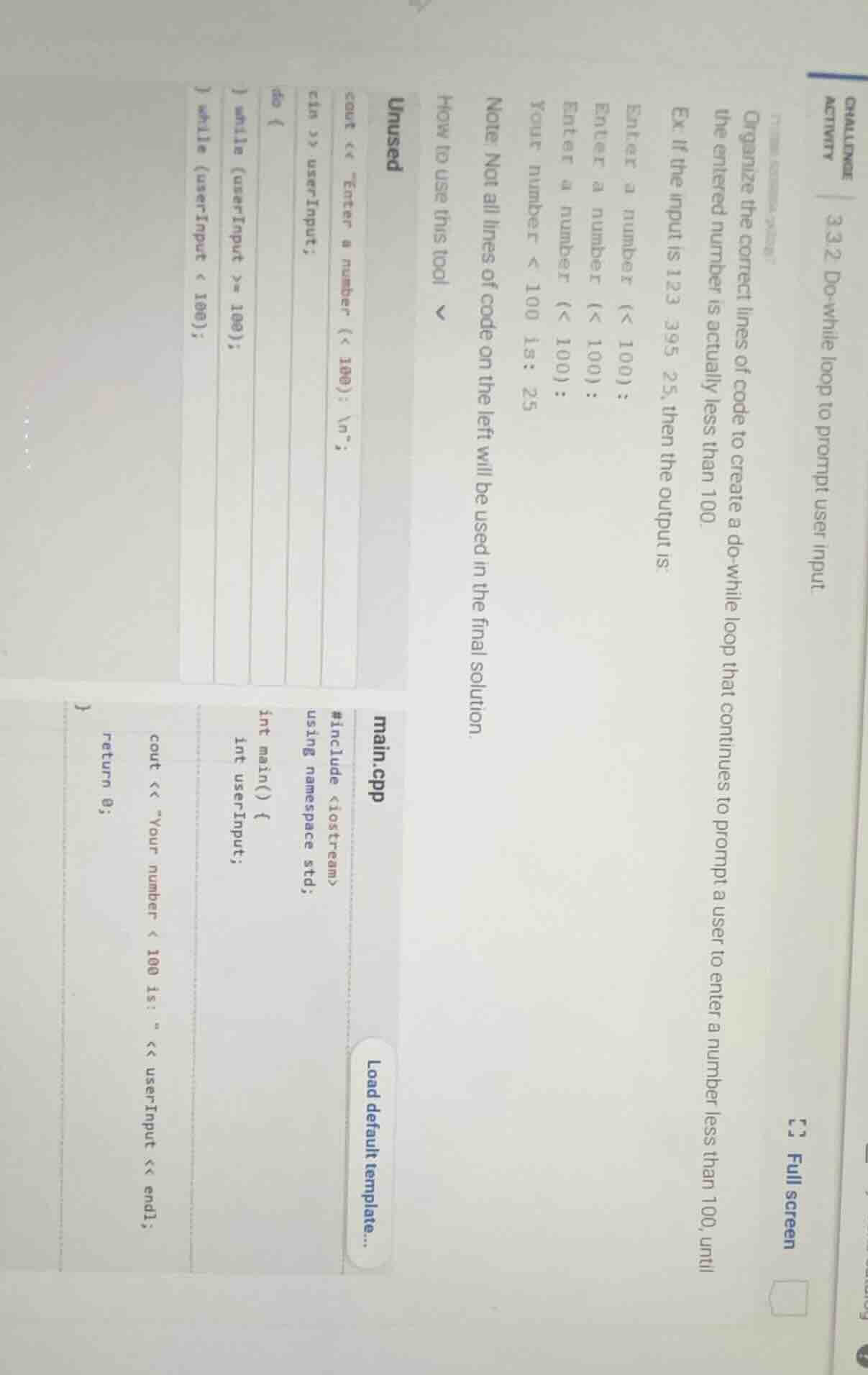
challenge activity 3.3.2: do-while loop to prompt user input. organize the correct lines of code to create a do-while loop that continues to prompt a user to enter a number less than 100, until the entered number is actually less than 100. ex. if the input is 123 395 25, then the output is: enter a number (< 100): enter a number (< 100): enter a number (< 100): your number < 100 is: 25 note: not all lines of code on the left will be used in the final solution. how to use this tool unused cout << \enter a number (< 100): \
\; cin >> userinput; do { } while (userinput >= 100); } while (userinput < 100); main.cpp #include <iostream> using namespace std; int main() { int userinput; cout << \your number < 100 is: \ << userinput << endl; return 0; } load default template... full screen
Step1: Include necessary headers
#include <iostream>
using namespace std;
Step2: Declare main function and variable
int main() {
    int userInput;
Step3: Start do-while loop, prompt input
    do {
        cout << "Enter a number (< 100):
";
        cin >> userInput;
Step4: Add loop condition (repeat if ≥100)
} while (userInput >= 100);Step5: Print valid input result
    cout << "Your number < 100 is: " << userInput << endl;
    return 0;
}
Snap & solve any problem in the app
Get step-by-step solutions on Sovi AI
Photo-based solutions with guided steps
Explore more problems and detailed explanations
The complete working code is:
#include <iostream>
using namespace std;

int main() {
    int userInput;

    do {
        cout << "Enter a number (< 100):
";
        cin >> userInput;
    } while (userInput >= 100);

    cout << "Your number < 100 is: " << userInput << endl;
    return 0;
}