QUESTION IMAGE
Question
question 18 of 25.
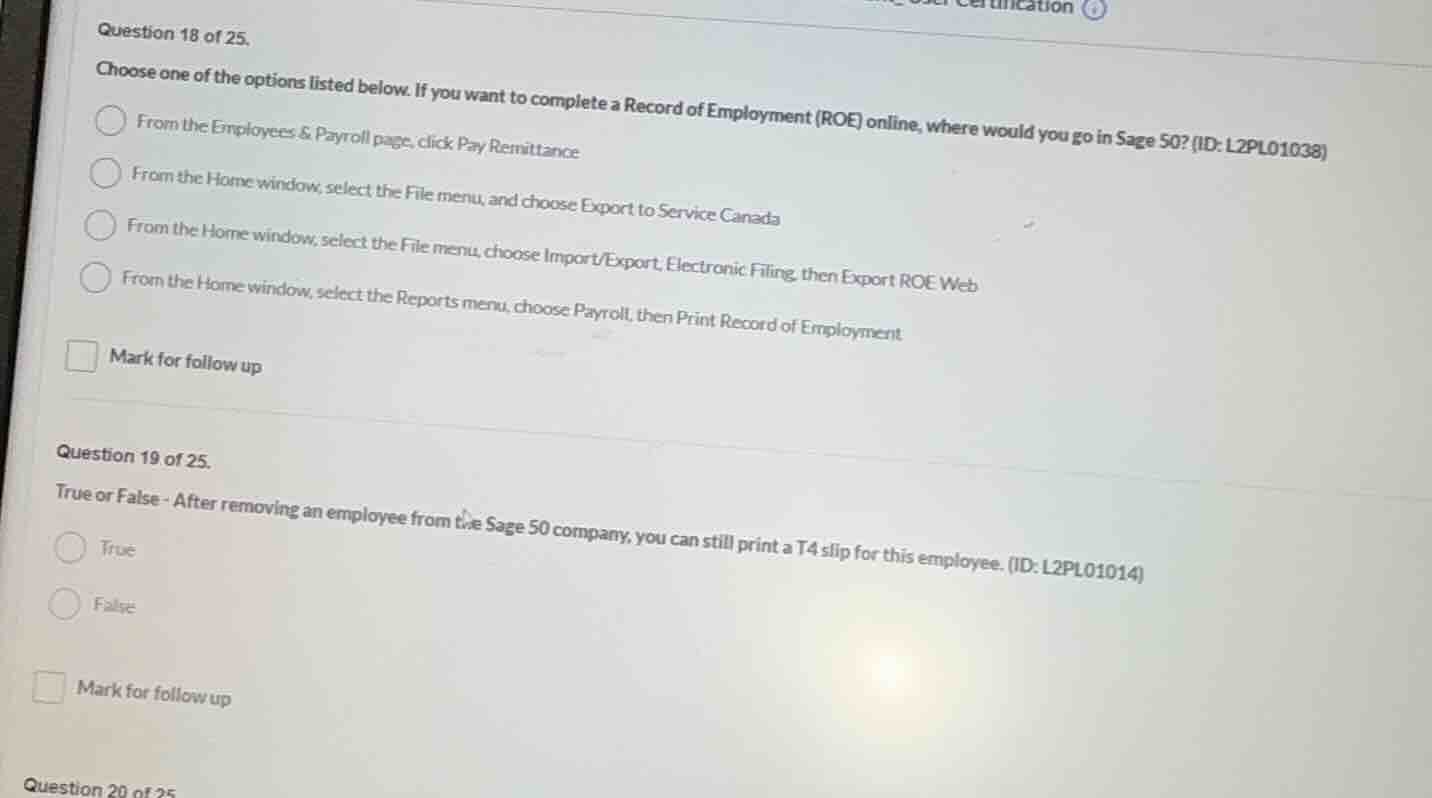
choose one of the options listed below. if you want to complete a record of employment (roe) online, where would you go in sage 50? (id: l2pl01038)
- from the employees & payroll page, click pay remittance
- from the home window, select the file menu, and choose export to service canada
- from the home window, select the file menu, choose import/export, electronic filing, then export roe web
- from the home window, select the reports menu, choose payroll, then print record of employment
mark for follow up
question 19 of 25.
true or false - after removing an employee from the sage 50 company, you can still print a t4 slip for this employee. (id: l2pl01014)
- true
- false
mark for follow up
question 20 of 25
Question 18
To complete a Record of Employment (ROE) online in Sage 50, the correct path is from the Home window, select the File menu, choose Import/Export, Electronic Filing, then Export ROE Web. The other options are incorrect: the first is for pay remittance, the second is not the right export for ROE, and the fourth is for printing ROE, not online submission.
In Sage 50, even after removing an employee from the company, you can still print a T4 slip for that employee because the employee's payroll data is retained for tax reporting purposes. So the statement is True.

Snap & solve any problem in the app
Get step-by-step solutions on Sovi AI
Photo-based solutions with guided steps
Explore more problems and detailed explanations
From the Home window, select the File menu, choose Import/Export, Electronic Filing, then Export ROE Web