QUESTION IMAGE
Question
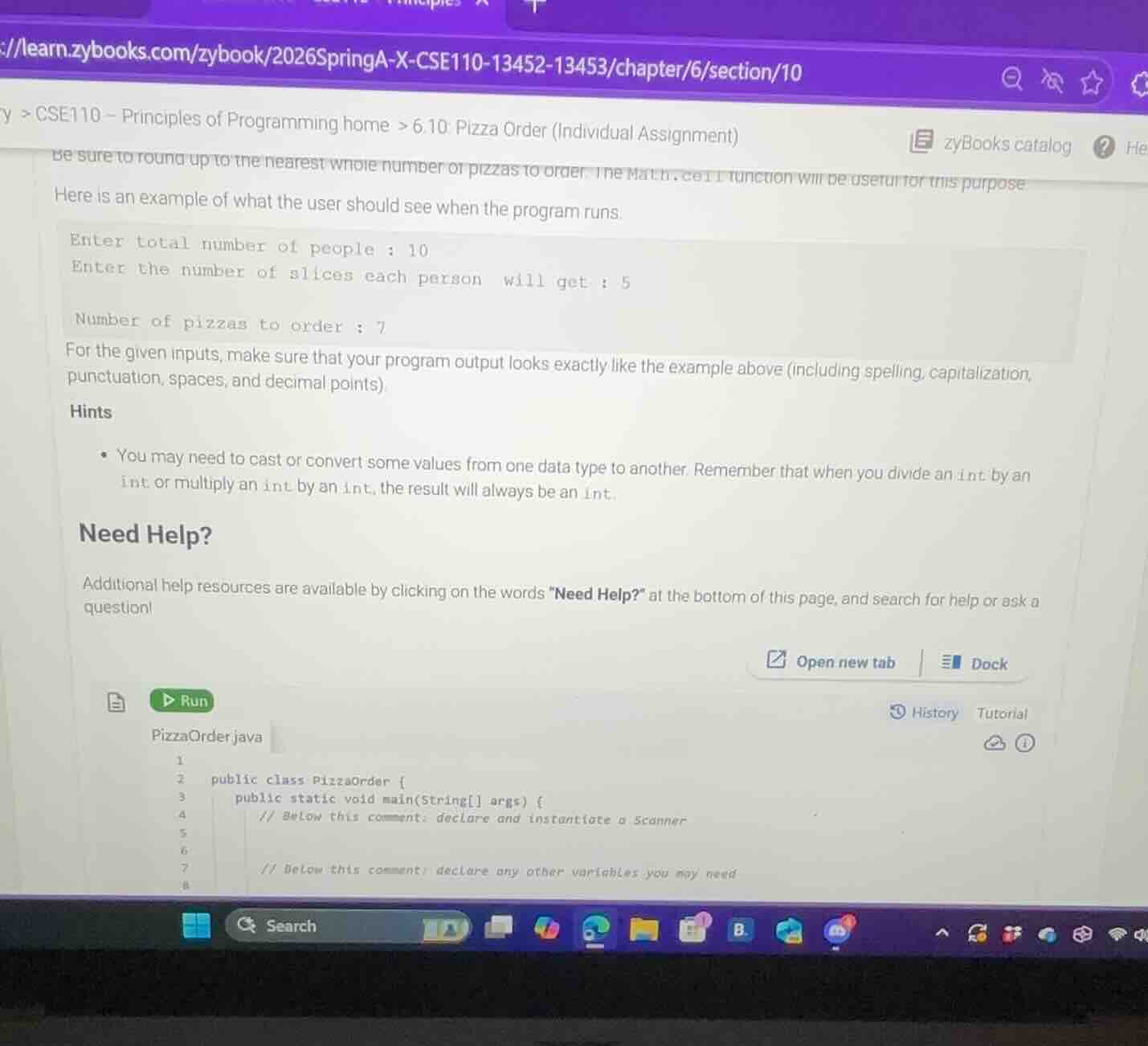
be sure to round up to the nearest whole number of pizzas to order. the math.ceil function will be useful for this purpose here is an example of what the user should see when the program runs. enter total number of people : 10 enter the number of slices each person will get : 5 number of pizzas to order : 7 for the given inputs, make sure that your program output looks exactly like the example above (including spelling, capitalization, punctuation, spaces, and decimal points) hints - you may need to cast or convert some values from one data type to another. remember that when you divide an int by an int or multiply an int by an int, the result will always be an int. need help? additional help resources are available by clicking on the words
eed help?\ at the bottom of this page, and search for help or ask a question! pizzaorder.java 1 public class pizzaorder { 2 public static void main(string args) { 3 // below this comment: declare and instantiate a scanner 4 5 // below this comment: declare any other variables you may need 6 7 8
Step1: Import Scanner class
import java.util.Scanner;Step2: Declare Scanner object
Scanner input = new Scanner(System.in);Step3: Declare required variables
int totalPeople, slicesPerPerson, totalSlices, pizzasToOrder;
final int SLICES_PER_PIZZA = 8;
Step4: Get user input for people
System.out.print("Enter total number of people : ");
totalPeople = input.nextInt();
Step5: Get user input for slices
System.out.print("Enter the number of slices each person will get : ");
slicesPerPerson = input.nextInt();
Step6: Calculate total slices needed
totalSlices = totalPeople * slicesPerPerson;Step7: Calculate pizzas (round up)
pizzasToOrder = (int) Math.ceil((double) totalSlices / SLICES_PER_PIZZA);Step8: Print final result
System.out.println("Number of pizzas to order : " + pizzasToOrder);Step9: Close Scanner
input.close();
Snap & solve any problem in the app
Get step-by-step solutions on Sovi AI
Photo-based solutions with guided steps
Explore more problems and detailed explanations
The complete working code is:
import java.util.Scanner;

public class PizzaOrder {
    public static void main(String[] args) {
        // Below this comment: declare and instantiate a Scanner
        Scanner input = new Scanner(System.in);

        // Below this comment: declare any other variables you may need
        int totalPeople, slicesPerPerson, totalSlices, pizzasToOrder;
        final int SLICES_PER_PIZZA = 8; // Standard pizza slice count

        // Get input from user
        System.out.print("Enter total number of people : ");
        totalPeople = input.nextInt();

        System.out.print("Enter the number of slices each person will get : ");
        slicesPerPerson = input.nextInt();

        // Calculate total required slices
        totalSlices = totalPeople * slicesPerPerson;

        // Calculate pizzas, round up using Math.ceil
        pizzasToOrder = (int) Math.ceil((double) totalSlices / SLICES_PER_PIZZA);

        // Output the result
        System.out.println("Number of pizzas to order : " + pizzasToOrder);

        // Close the scanner
        input.close();
    }
}
When run with input 10 and 5, it outputs:
Enter total number of people : 10
Enter the number of slices each person will get : 5
Number of pizzas to order : 7