QUESTION IMAGE
Question
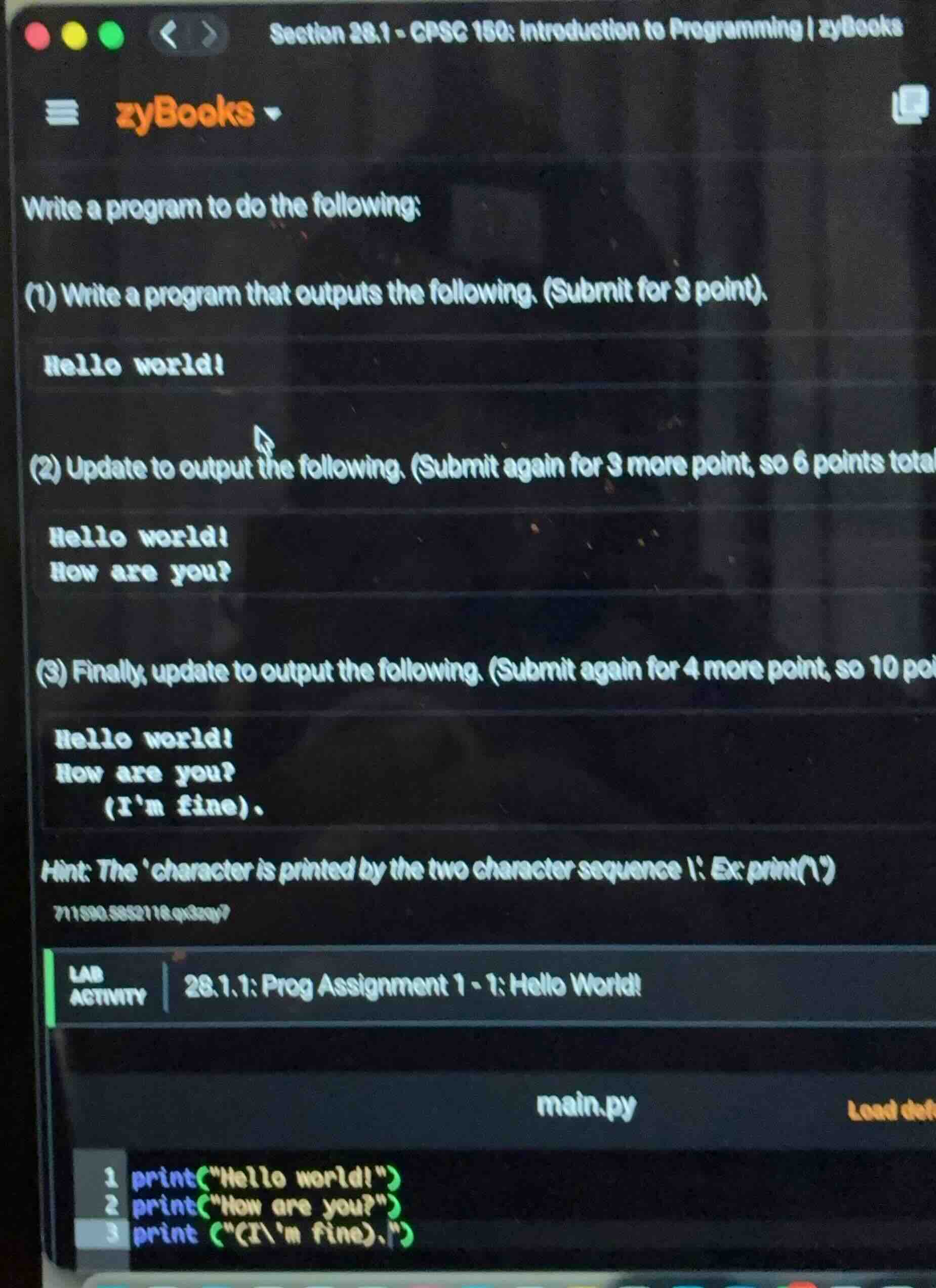
write a program to do the following:
(1) write a program that outputs the following. (submit for 3 point).
hello world!
(2) update to output the following. (submit again for 3 more point, so 6 points total
hello world!
how are you?
(3) finally, update to output the following. (submit again for 4 more point, so 10 po
hello world!
how are you?
(im fine).
hint: the character is printed by the two character sequence \\: ex: print()
711890.5852116.qs3zqy?
lab activity | 28.1.1: prog assignment 1 - 1: hello world!
main.py load def
1 print(\hello world!\)
2 print(\how are you?\)
3 print (\(i\\m fine).\)
To solve this programming problem, we'll address each part step by step using Python (since the code snippet shows Python syntax).
Part 1: Output "Hello world!"
Step 1: Use the print function
In Python, the print() function is used to output text. We pass the string "Hello world!" as an argument.
print("Hello world!")Part 2: Update to output two lines
Step 1: Print the first line
As in part 1, print "Hello world!".
print("Hello world!")Step 2: Print the second line
Print the string "How are you?".
print("How are you?")Part 3: Update to output three lines with an apostrophe
Step 1: Print the first two lines
Reuse the code from part 2 for the first two lines.
print("Hello world!")
print("How are you?")
Step 2: Print the third line with an apostrophe
To print an apostrophe in a string, we use the escape character \ before it. So the string becomes "(I\'m fine).".
print("(I\'m fine).")Final Code (combining all parts for the last update)
print("Hello world!")
print("How are you?")
print("(I\'m fine).")
When this code is run, it will produce the following output:
Hello world!
How are you?
(I'm fine).
Snap & solve any problem in the app
Get step-by-step solutions on Sovi AI
Photo-based solutions with guided steps
Explore more problems and detailed explanations
To solve this programming problem, we'll address each part step by step using Python (since the code snippet shows Python syntax).
Part 1: Output "Hello world!"
Step 1: Use the print function
In Python, the print() function is used to output text. We pass the string "Hello world!" as an argument.
print("Hello world!")Part 2: Update to output two lines
Step 1: Print the first line
As in part 1, print "Hello world!".
print("Hello world!")Step 2: Print the second line
Print the string "How are you?".
print("How are you?")Part 3: Update to output three lines with an apostrophe
Step 1: Print the first two lines
Reuse the code from part 2 for the first two lines.
print("Hello world!")
print("How are you?")
Step 2: Print the third line with an apostrophe
To print an apostrophe in a string, we use the escape character \ before it. So the string becomes "(I\'m fine).".
print("(I\'m fine).")Final Code (combining all parts for the last update)
print("Hello world!")
print("How are you?")
print("(I\'m fine).")
When this code is run, it will produce the following output:
Hello world!
How are you?
(I'm fine).