QUESTION IMAGE
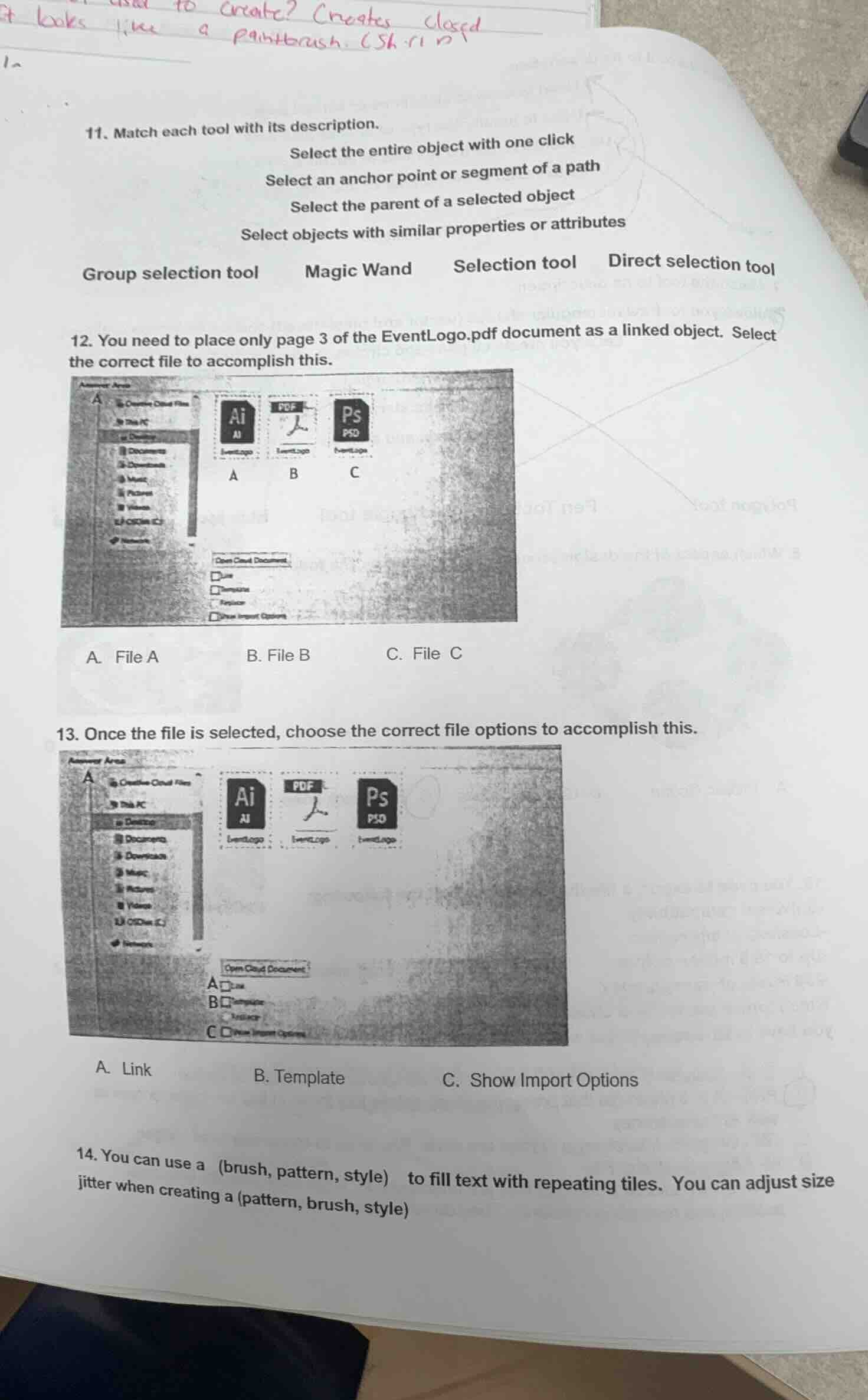
Question
- match each tool with its description.
select the entire object with one click
select an anchor point or segment of a path
select the parent of a selected object
select objects with similar properties or attributes
group selection tool magic wand selection tool direct selection tool
- you need to place only page 3 of the eventlogo.pdf document as a linked object. select the correct file to accomplish this.
a. file a b. file b c. file c
- once the file is selected, choose the correct file options to accomplish this.
a. link b. template c. show import options
- you can use a (brush, pattern, style) to fill text with repeating tiles. you can adjust size jitter when creating a (pattern, brush, style)
Question 11
- Selection tool: Selects the entire object with one click (standard function of selection tool).
- Direct selection tool: Selects an anchor point or segment of a path (used for editing paths).
- Group selection tool: Selects the parent of a selected object (for group - related selection).
- Magic Wand: Selects objects with similar properties or attributes (like selecting similar - styled objects).
To place a PDF page as a linked object, we need the PDF file. File B has the PDF icon, so it is the EventLogo.pdf file.
To place the PDF page as a linked object, we need to use the "Link" option to create a linked object. "Template" is for template - related actions and "Show Import Options" is for showing import settings, not for linking.

Snap & solve any problem in the app
Get step-by-step solutions on Sovi AI
Photo-based solutions with guided steps
Explore more problems and detailed explanations
- Select the entire object with one click: Selection tool
- Select an anchor point or segment of a path: Direct selection tool
- Select the parent of a selected object: Group selection tool
- Select objects with similar properties or attributes: Magic Wand