QUESTION IMAGE
Question
adobe illustrator practice test
molly mccaribol 1/30/26
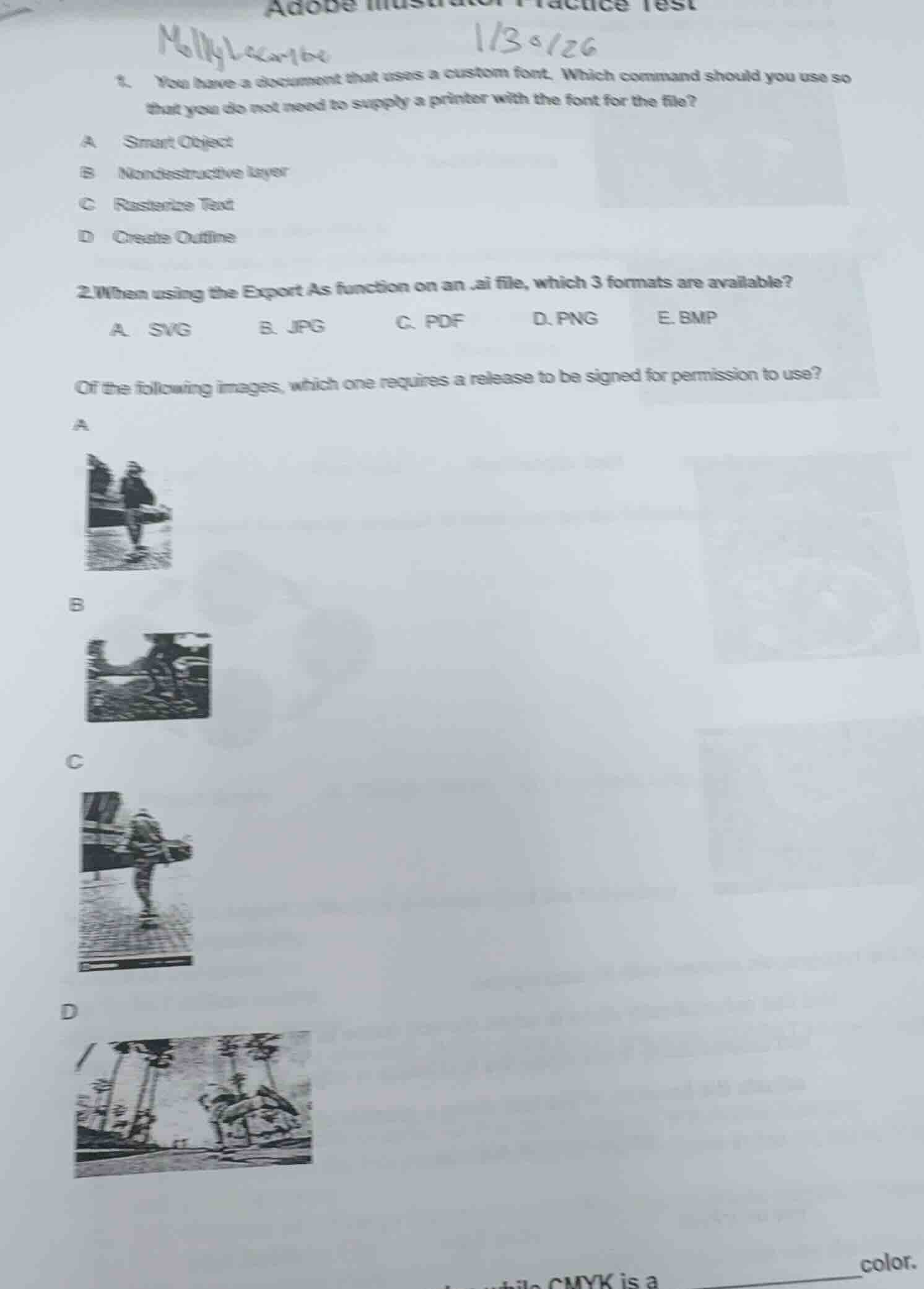
- you have a document that uses a custom font. which command should you use so that you do not need to supply a printer with the font for the file?
a smart object
b nondestructive layer
c rasterize text
d create outline
- when using the export as function on an.ai file, which 3 formats are available?
a. svg b. jpg c. pdf d. png e. bmp
of the following images, which one requires a release to be signed for permission to use?
a
image of a person
b
image of a landscape with a figure
c
image of a person on a skateboard
d
image of a tropical scene
cmyk is a ______ color.
Question 1
To avoid supplying the printer with the custom font, we convert the text to outlines. "Create Outline" (D) converts text to vector shapes, so the font isn't needed. Smart Object (A) is for embedding, Nondestructive layer (B) is for editing, and Rasterize Text (C) turns text to pixels (not ideal for fonts).
When exporting an.ai file with "Export As", common available formats are SVG (vector), JPG (raster), and PNG (raster). PDF is more for "Save As", and BMP is less common in Illustrator's Export As for.ai files. So the three are SVG, JPG, PNG.
Images with identifiable people (like the one with a person, likely option A, B, or C—assuming one has a recognizable individual) require a model release for usage permission. Images of landscapes (like D with palm trees) don't need a release. So the image with a person (e.g., if A has a person) needs a release.

Snap & solve any problem in the app
Get step-by-step solutions on Sovi AI
Photo-based solutions with guided steps
Explore more problems and detailed explanations
D. Create Outline