QUESTION IMAGE
Question
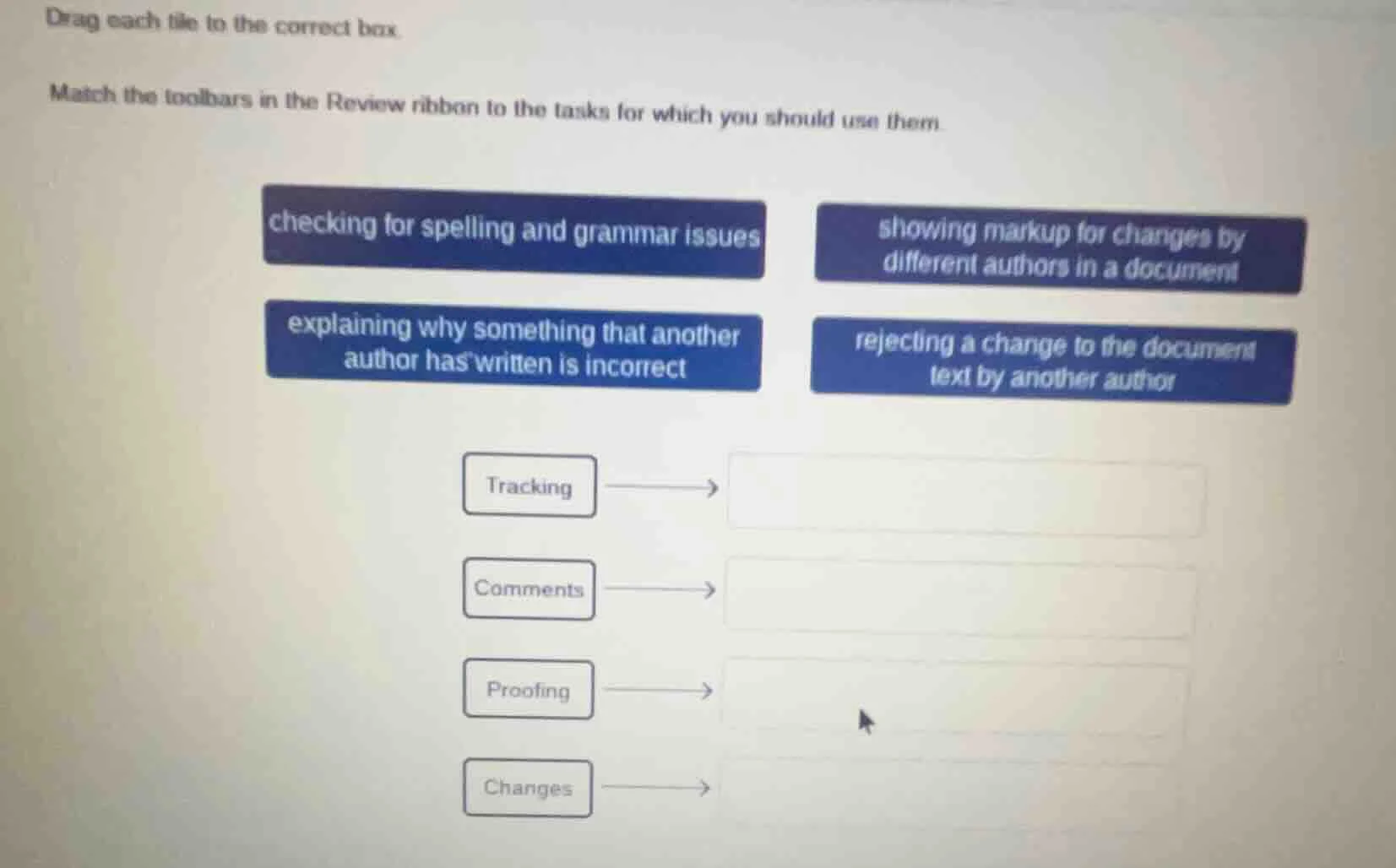
drag each tile to the correct box.
match the toolbars in the review ribbon to the tasks for which you should use them.
checking for spelling and grammar issues showing markup for changes by different authors in a document
explaining why something that another author has written is incorrect rejecting a change to the document text by another author
tracking
comments
proofing
changes
Brief Explanations
- Tracking: The Tracking toolbar in the Review ribbon is used to show markup for changes made by different authors in a document. This is because it keeps track of all the edits and who made them.
- Comments: The Comments toolbar is for adding comments, which can be used to explain why another author's writing is incorrect. Comments are a way to provide feedback or explanations without directly changing the text.
- Proofing: Proofing tools are used for checking spelling and grammar issues. This is a standard function of proofing in word - processing software.
- Changes: The Changes toolbar is used to manage changes, including rejecting a change made by another author to the document text.

Snap & solve any problem in the app
Get step-by-step solutions on Sovi AI
Photo-based solutions with guided steps
Explore more problems and detailed explanations
- Tracking → showing markup for changes by different authors in a document
- Comments → explaining why something that another author has written is incorrect
- Proofing → checking for spelling and grammar issues
- Changes → rejecting a change to the document text by another author