QUESTION IMAGE
Question
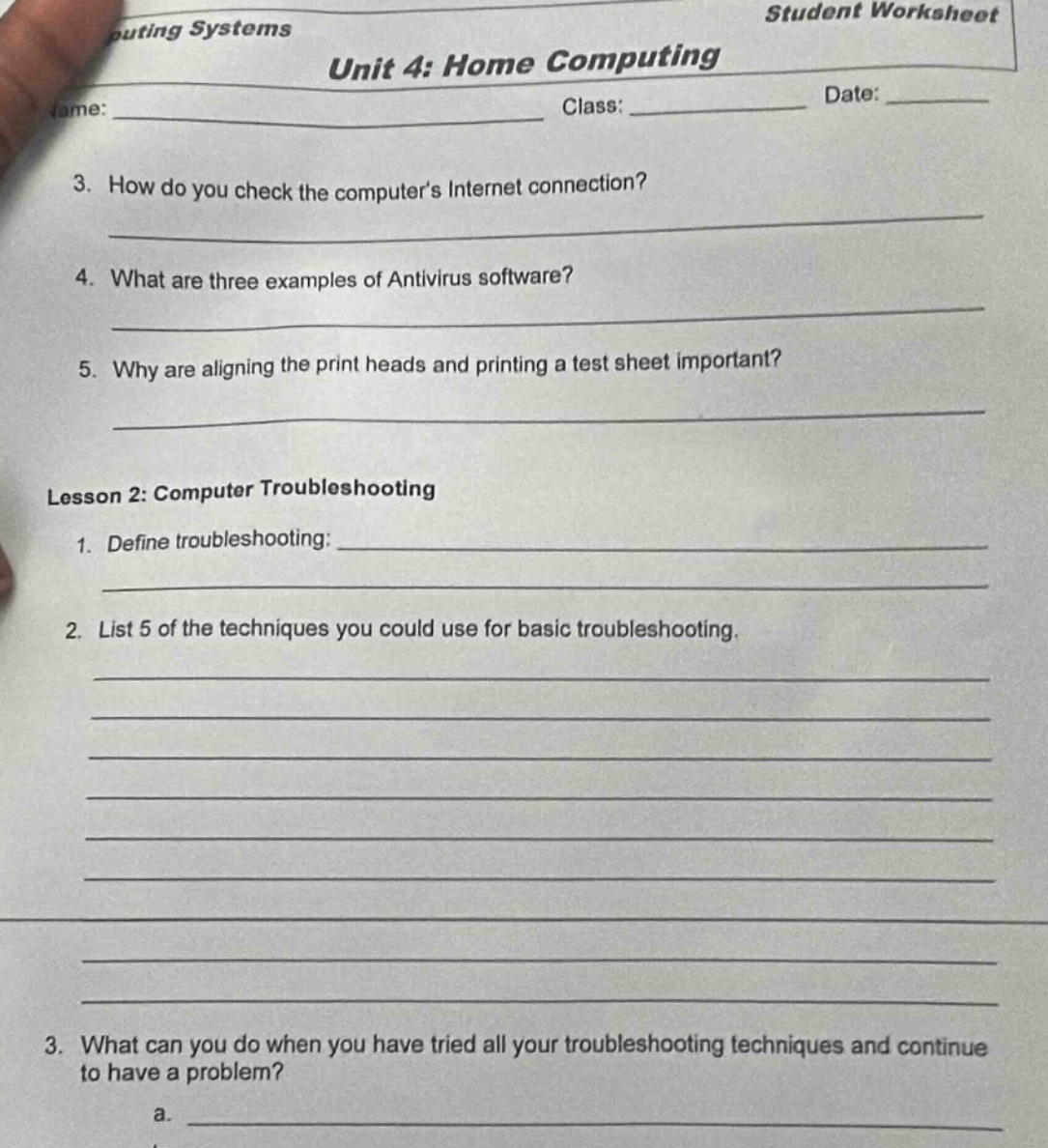
puting systems student worksheet unit 4: home computing name: _________________________ class: __________ date: _____ 3. how do you check the computer’s internet connection? 4. what are three examples of antivirus software? 5. why are aligning the print heads and printing a test sheet important? lesson 2: computer troubleshooting 1. define troubleshooting: 2. list 5 of the techniques you could use for basic troubleshooting. 3. what can you do when you have tried all your troubleshooting techniques and continue to have a problem? a.
Question 3: How do you check the computer’s Internet connection?
To check a computer's Internet connection, one common method is to look at the network icon (e.g., in the taskbar on Windows or menu bar on macOS). If it shows a connected status (like Wi - Fi signal or Ethernet connection symbol), try accessing a website (e.g., open a browser and go to www.google.com). If the website loads, the connection is working. Another way is to use the command prompt (Windows) or terminal (macOS/Linux) and run ping google.com (or another domain). If you get responses (ping replies), the connection is active. Also, checking network settings (e.g., in Windows Settings > Network & Internet or macOS System Preferences > Network) to see if the connection is recognized and has an IP address assigned can help.
Antivirus software is used to detect, prevent, and remove malware. Three well - known examples are: 1. Norton Antivirus: It offers real - time protection, malware scanning, and features like firewall protection and anti - phishing. 2. McAfee Antivirus: It provides comprehensive security against viruses, spyware, and other threats, with features for web protection and identity theft prevention. 3. Avast Antivirus: It has free and paid versions, offering virus scanning, real - time protection, and additional features like a password manager and browser cleanup.
Aligning print heads ensures that the ink is deposited accurately on the paper. If print heads are misaligned, text and images may be distorted, blurry, or have color misregistration (especially in color printers). Printing a test sheet allows you to check the quality of the print (e.g., for proper ink flow, no missing colors, correct alignment). It helps identify issues like clogged nozzles (if parts of the test sheet are missing ink) or alignment problems before printing important documents, saving ink and paper and ensuring professional - looking prints.

Snap & solve any problem in the app
Get step-by-step solutions on Sovi AI
Photo-based solutions with guided steps
Explore more problems and detailed explanations
- Check the network icon (e.g., in taskbar/menu bar) for connection status.
- Try loading a website (e.g., www.google.com) in a browser.
- Use
pingcommand (e.g.,ping google.com) in command prompt/terminal. - Check network settings for IP address and connection recognition.