QUESTION IMAGE
Question
jump to level 1
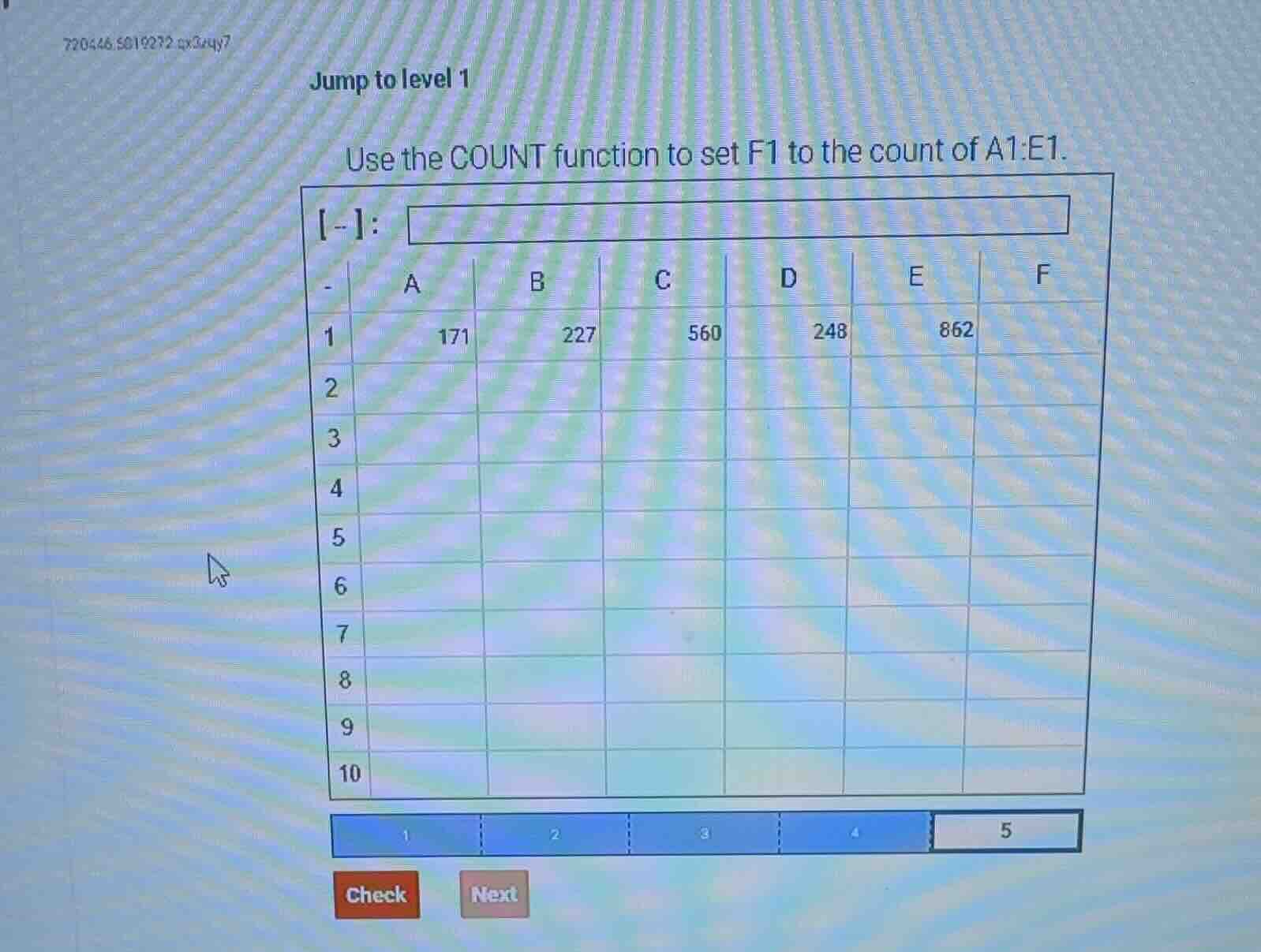
use the count function to set f1 to the count of a1:e1.
- :
| a | b | c | d | e | f | |
|---|---|---|---|---|---|---|
| 2 | ||||||
| 3 | ||||||
| 4 | ||||||
| 5 | ||||||
| 6 | ||||||
| 7 | ||||||
| 8 | ||||||
| 9 | ||||||
| 10 |
check next
Step1: Identify COUNT function syntax
The COUNT function in spreadsheets uses the syntax COUNT(range) to count numerical values in a specified range.
Step2: Define the target range
The range to count is cells A1 through E1, so the range is A1:E1.
Step3: Input function in cell F1
Enter the function into cell F1 to calculate the count.
<Expression>=COUNT(A1:E1)</Expression>
Step4: Calculate the result
Count the numerical values in A1:E1 (171, 227, 560, 248, 862 are all numbers, so the count is 5).

Snap & solve any problem in the app
Get step-by-step solutions on Sovi AI
Photo-based solutions with guided steps
Explore more problems and detailed explanations
To set F1 to the count of A1:E1, enter =COUNT(A1:E1) into cell F1, and the resulting value is 5.