QUESTION IMAGE
Question
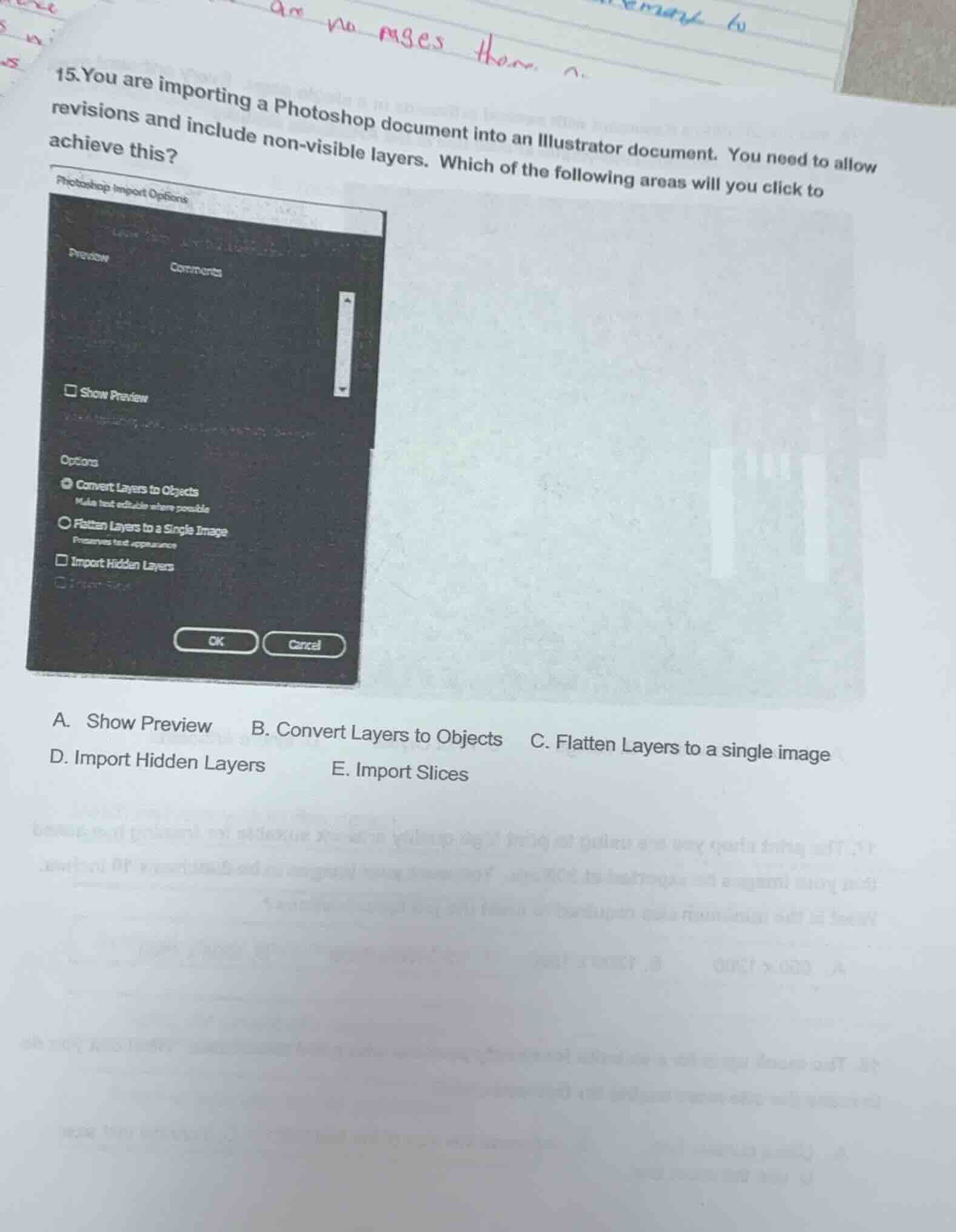
- you are importing a photoshop document into an illustrator document. you need to allow revisions and include non - visible layers. which of the following areas will you click to achieve this? a. show preview b. convert layers to objects c. flatten layers to a single image d. import hidden layers e. import slices
Brief Explanations
To include non - visible (hidden) layers when importing a Photoshop document into an Illustrator document, we need to select the option that specifically deals with importing hidden layers. Among the given options, "Import Hidden Layers" (option D) is the one that allows the import of non - visible layers. "Show Preview" is for previewing, "Convert Layers to Objects" is for layer - to - object conversion, "Flatten Layers to a Single Image" flattens layers, and "Import Slices" is for importing slices, none of which are related to importing hidden layers.

Snap & solve any problem in the app
Get step-by-step solutions on Sovi AI
Photo-based solutions with guided steps
Explore more problems and detailed explanations
D. Import Hidden Layers