QUESTION IMAGE
Question
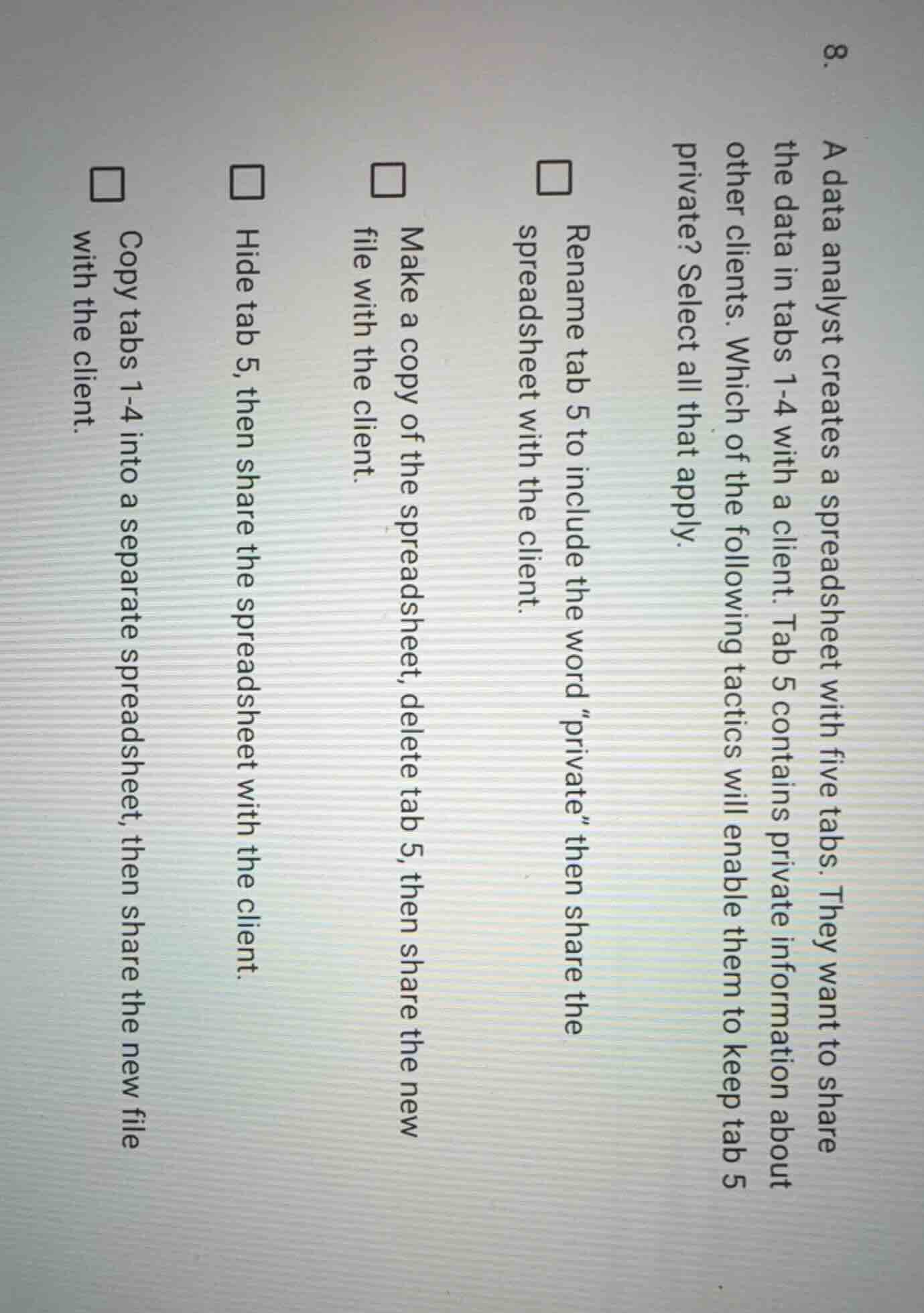
- a data analyst creates a spreadsheet with five tabs. they want to share the data in tabs 1 - 4 with a client. tab 5 contains private information about other clients. which of the following tactics will enable them to keep tab 5 private? select all that apply. □ rename tab 5 to include the word \private\ then share the spreadsheet with the client. □ make a copy of the spreadsheet, delete tab 5, then share the new file with the client. □ hide tab 5, then share the spreadsheet with the client. □ copy tabs 1 - 4 into a separate spreadsheet, then share the new file with the client.
Brief Explanations
- Renaming the tab to include "private" does not restrict access, so this does not keep the tab private.
- Making a copy of the spreadsheet, deleting tab 5, and sharing the new file ensures the private tab is not included in the shared content.
- Hiding tab 5 is not secure, as hidden tabs can be unhidden by the client, so this does not properly keep the tab private.
- Copying tabs 1-4 to a new spreadsheet and sharing that file ensures only the non-private data is shared with the client.

Snap & solve any problem in the app
Get step-by-step solutions on Sovi AI
Photo-based solutions with guided steps
Explore more problems and detailed explanations
- ☐ Rename tab 5 to include the word "private" then share the spreadsheet with the client.
- ☑ Make a copy of the spreadsheet, delete tab 5, then share the new file with the client.
- ☐ Hide tab 5, then share the spreadsheet with the client.
- ☑ Copy tabs 1-4 into a separate spreadsheet, then share the new file with the client.