QUESTION IMAGE
Question
explaining how to add watermarks
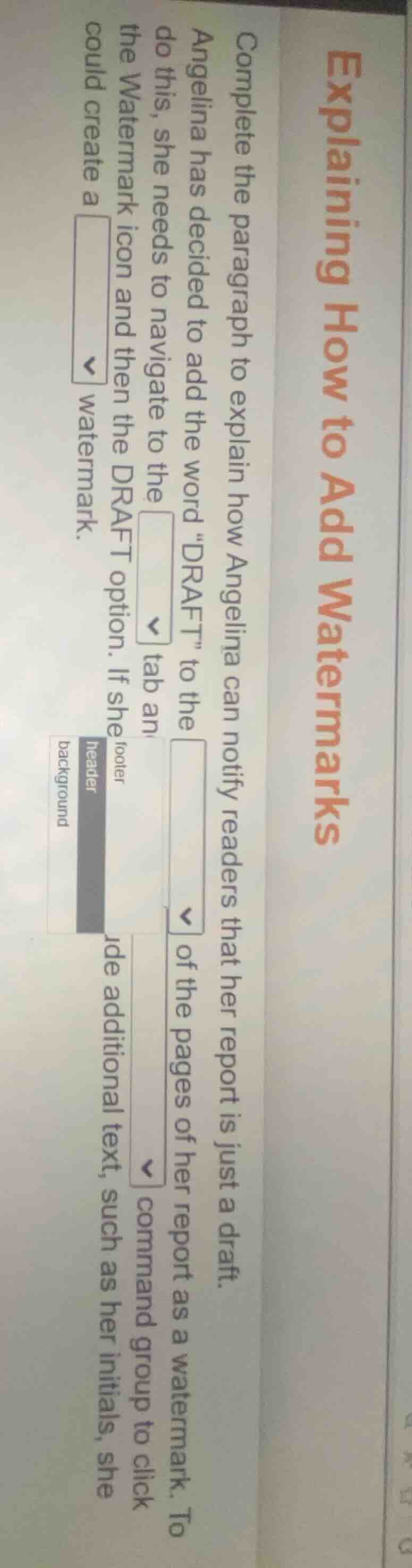
complete the paragraph to explain how angelina can notify readers that her report is just a draft.
angelina has decided to add the word \draft\ to the ▼ of the pages of her report as a watermark. to do this, she needs to navigate to the ▼ tab an
▼ command group to click
the watermark icon and then the draft option. if she
ude additional text, such as her initials, she
could create a ▼ watermark.
footer
header
background
This describes the standard process for adding a watermark in word processing software (like Microsoft Word). The "DRAFT" watermark is added to the background of pages, accessed via the Design (or Layout, depending on version) tab, within the Watermark command group. Custom text can be added to a background watermark.

Snap & solve any problem in the app
Get step-by-step solutions on Sovi AI
Photo-based solutions with guided steps
Explore more problems and detailed explanations
- background
- Design (or Layout)
- Watermark
- background