QUESTION IMAGE
Question
Question was provided via image upload.
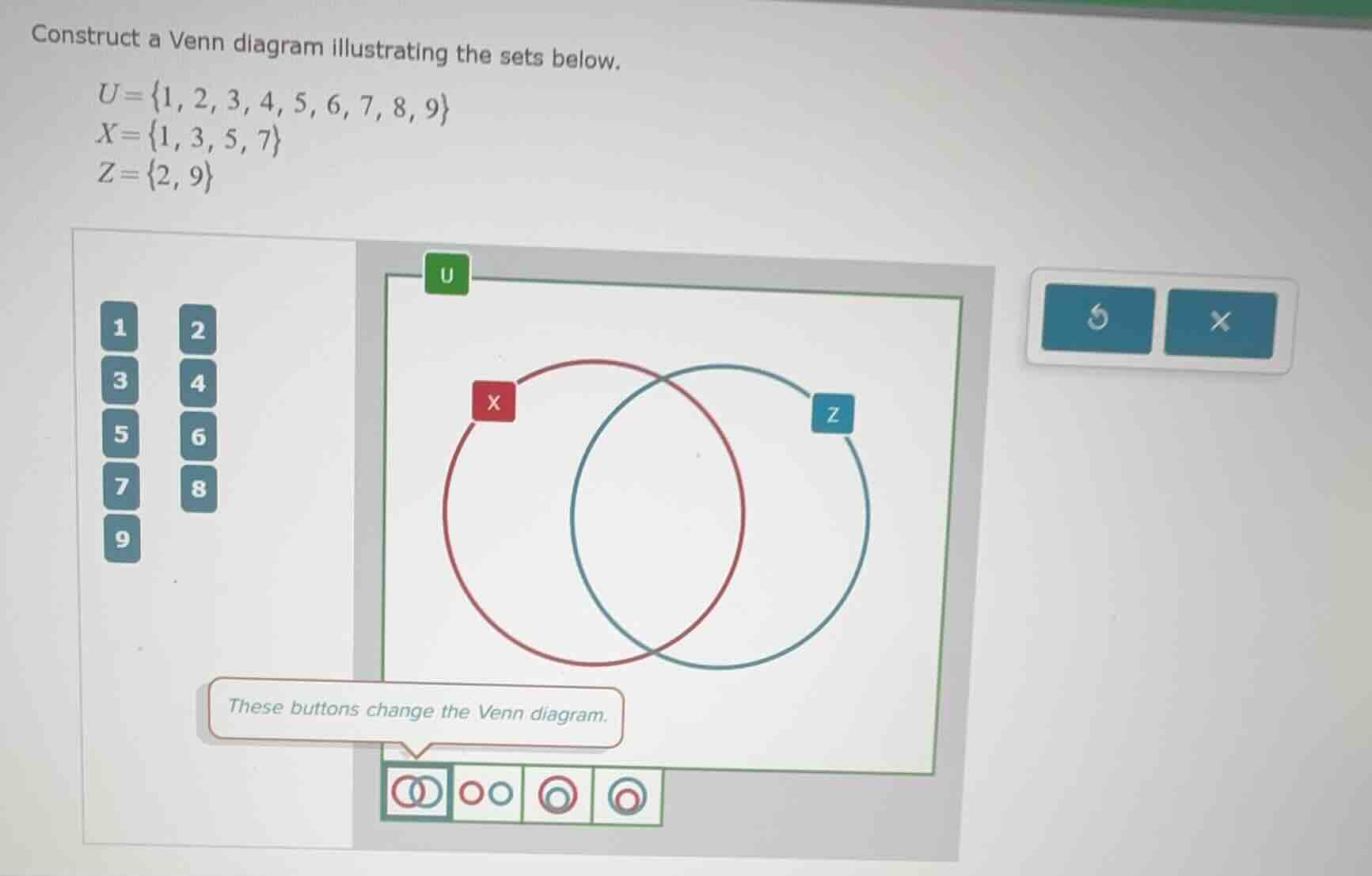
Step1: Choose correct Venn layout
Select the second button (two separate circles, no overlap) since sets $X$ and $Z$ have no common elements.
Step2: Place elements in set $X$
Move numbers 1, 3, 5, 7 into the red circle labeled $X$.
Step3: Place elements in set $Z$
Move numbers 2, 9 into the blue circle labeled $Z$.
Step4: Place remaining elements in $U$
Move numbers 4, 6, 8 into the outer region (inside the green border of $U$, outside both circles).

Snap & solve any problem in the app
Get step-by-step solutions on Sovi AI
Photo-based solutions with guided steps
Explore more problems and detailed explanations
- Venn diagram layout: Two non-overlapping circles (second bottom button selected)
- Red circle ($X$): Contains $\{1, 3, 5, 7\}$
- Blue circle ($Z$): Contains $\{2, 9\}$
- Universal set ($U$) outer region: Contains $\{4, 6, 8\}$