QUESTION IMAGE
Question
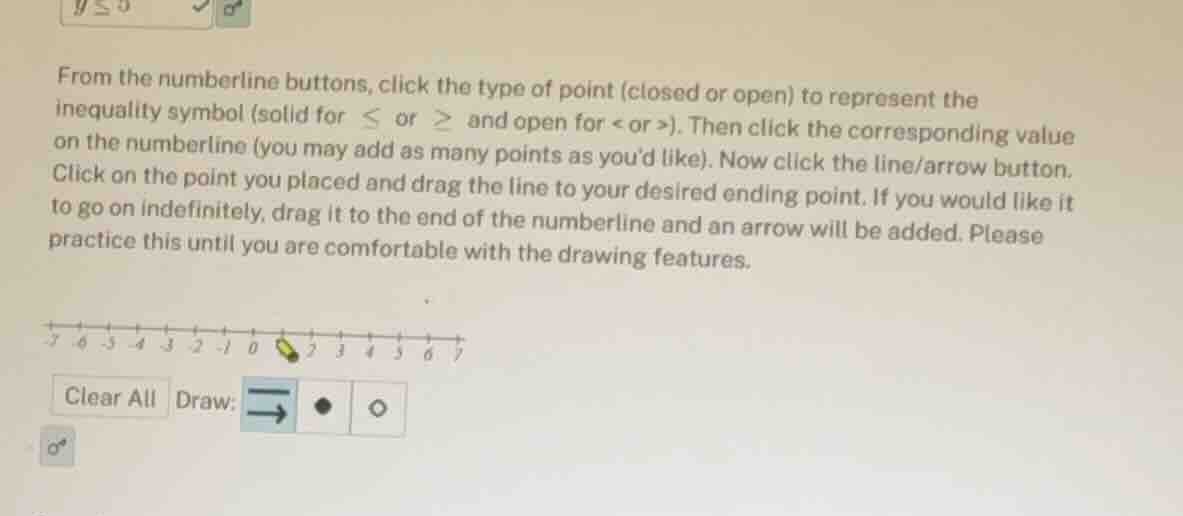
from the numberline buttons, click the type of point (closed or open) to represent the inequality symbol (solid for ≤ or ≥ and open for < or >). then click the corresponding value on the numberline (you may add as many points as you’d like). now click the line/arrow button. click on the point you placed and drag the line to your desired ending point. if you would like it to go on indefinitely, drag it to the end of the numberline and an arrow will be added. please practice this until you are comfortable with the drawing features.
Step1: Identify the inequality symbol
The inequality is \( y \leq 5 \). The symbol \( \leq \) means we use a closed (solid) point because the value \( 5 \) is included in the solution set.
Step2: Locate the value on the number line
Find the number \( 5 \) on the number line.
Step3: Place the closed point
Click the closed (solid) point button (the black dot) and then click on the position corresponding to \( 5 \) on the number line.
Step4: Draw the line and arrow
Click the line/arrow button (the arrow button). Drag the line from the point at \( 5 \) to the left (towards smaller numbers) and if we want it to go on indefinitely, drag it to the end of the number line on the left side, and an arrow will be added to indicate the solution set includes all numbers less than or equal to \( 5 \).

Snap & solve any problem in the app
Get step-by-step solutions on Sovi AI
Photo-based solutions with guided steps
Explore more problems and detailed explanations
To graph \( y \leq 5 \), place a closed (solid) point at \( 5 \) on the number line and draw a line with an arrow pointing to the left (towards negative infinity) from that point.