QUESTION IMAGE
Question
online bank simulation
click this link to access the ngpf online bank simulator
in this activity, you will use a simulation to practice navigating the features of an online bank account, so that you can feel prepared to use your own real online bank account!
background:
congrats on opening your very first checking and savings account last month! and you even deposited $250 into each account from the start.
- open the ngpf online bank simulator and click the orange button to access your account.
now that you have your online account all set up and you are logged in, lets practice looking at your account!
part i: check that checking account
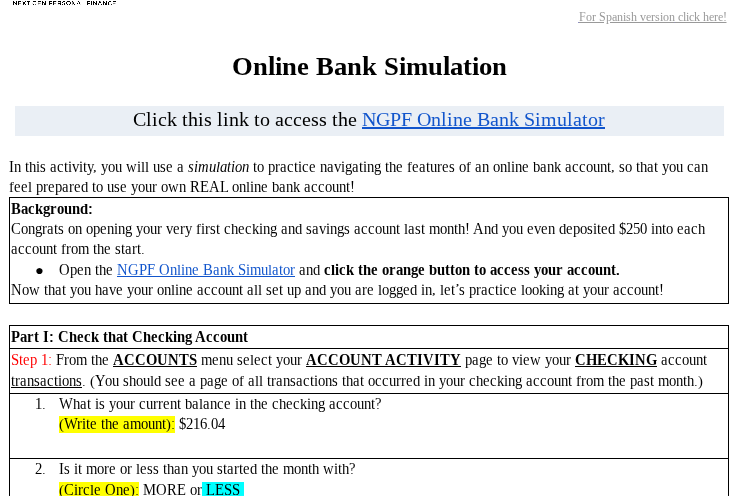
step 1: from the accounts menu select your account activity page to view your checking account transactions. (you should see a page of all transactions that occurred in your checking account from the past month.)
- what is your current balance in the checking account?
(write the amount): $216.04
- is it more or less than you started the month with?
(circle one): more or less
Part 1: Check that Checking Account
1. Current balance in the checking account
From the provided information, the current balance in the checking account is given as \$216.04.
2. Comparison with the starting amount
You started the month with \$250 (deposited into each account, including checking). The current balance is \$216.04, which is less than \$250. So we circle "LESS".

Snap & solve any problem in the app
Get step-by-step solutions on Sovi AI
Photo-based solutions with guided steps
Explore more problems and detailed explanations
s:
- \$216.04
- LESS (circled)