QUESTION IMAGE
Question
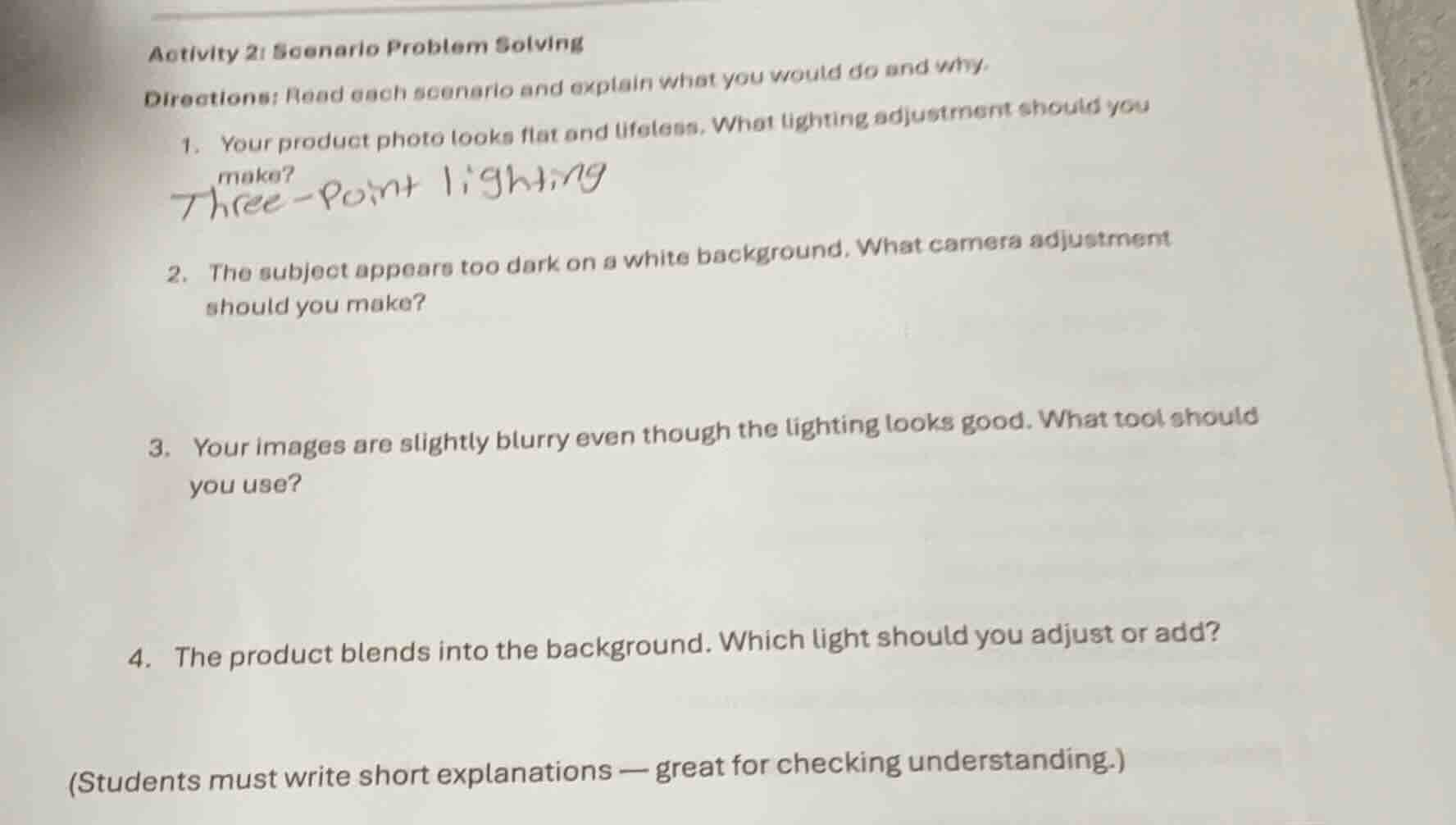
activity 2: scenario problem solving
directions: read each scenario and explain what you would do and why.
- your product photo looks flat and lifeless. what lighting adjustment should you make?
three-point lighting
- the subject appears too dark on a white background. what camera adjustment should you make?
- your images are slightly blurry even though the lighting looks good. what tool should you use?
- the product blends into the background. which light should you adjust or add?
(students must write short explanations — great for checking understanding.)
Brief Explanations
- Three-point lighting uses a key light, fill light, and backlight to create depth, shadows, and dimension, which fixes flat, lifeless product photos by adding contrast and definition.
- Cameras meter for average scene brightness; a white background tricks it into underexposing the subject. Increasing exposure (via aperture, shutter speed, or ISO) brightens the subject to match the background's brightness.
- A tripod stabilizes the camera, eliminating small movements that cause blurriness when lighting is sufficient (so camera shake is the likely issue).
- A backlight (or rim light) creates a bright outline around the product, separating it from the background by adding contrast between the product's edges and the surrounding area.

Snap & solve any problem in the app
Get step-by-step solutions on Sovi AI
Photo-based solutions with guided steps
Explore more problems and detailed explanations
- Implement three-point lighting.
- Increase the camera's exposure (widen aperture, slow shutter speed, or raise ISO).
- Use a camera tripod.
- Adjust or add a backlight (rim light).