QUESTION IMAGE
Question
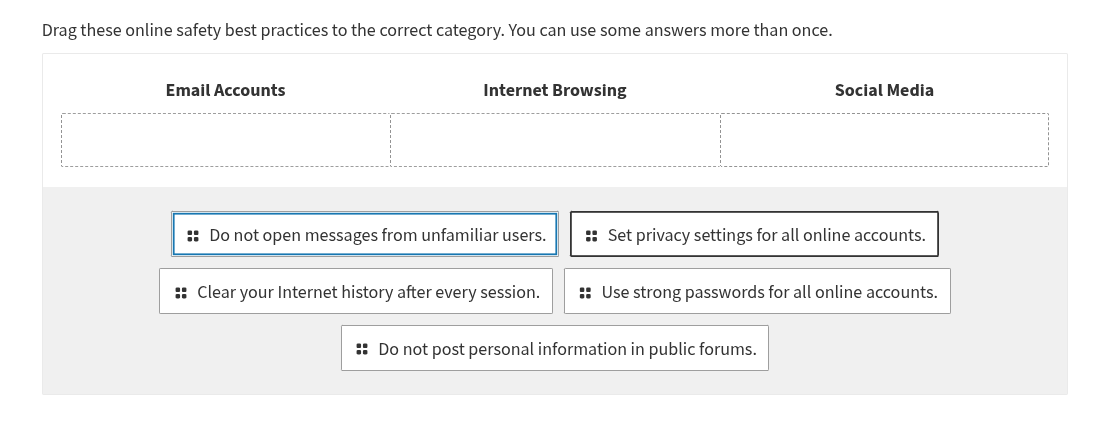
drag these online safety best practices to the correct category. you can use some answers more than once. email accounts internet browsing social media do not open messages from unfamiliar users. set privacy settings for all online accounts. clear your internet history after every session. use strong passwords for all online accounts. do not post personal information in public forums.
- Email Accounts:
- "Do not open messages from unfamiliar users" relates to email as it's about email messages.
- "Use strong passwords for all online accounts" applies to email accounts (a type of online account).
- Internet Browsing:
- "Clear your Internet history after every session" is a browsing - related practice.
- "Use strong passwords for all online accounts" can also be relevant if the browser saves account info, but more directly, "Clear your Internet history..." is specific. Also, "Set privacy settings for all online accounts" can have browser - related privacy aspects, but "Clear your Internet history..." is a core browsing practice.
- Social Media:
- "Do not post personal information in public forums" (social media can be public forums) and "Set privacy settings for all online accounts" (social media accounts need privacy settings), "Do not post personal information..." is specific to social media - style public posting. Also, "Use strong passwords for all online accounts" applies to social media accounts.
Let's categorize each:
Email Accounts
- Do not open messages from unfamiliar users (emails are messages, so this is for email accounts).
- Use strong passwords for all online accounts (email accounts are online accounts, so strong passwords apply).
Internet Browsing
- Clear your Internet history after every session (directly related to browsing history).
- Use strong passwords for all online accounts (if the browser stores account info, strong passwords help, but the main browsing - specific is clearing history). Also, "Set privacy settings for all online accounts" can include browser privacy settings.
Social Media
- Do not post personal information in public forums (social media has public posting areas).
- Set privacy settings for all online accounts (social media accounts need privacy settings).
- Do not post personal information... is core to social media. Also, "Use strong passwords for all online accounts" applies to social media accounts.
A more precise categorization:
- Email Accounts:
- Do not open messages from unfamiliar users (specific to email, as emails are messages from users).
- Use strong passwords for all online accounts (email accounts are online accounts, so strong passwords protect them).
- Internet Browsing:
- Clear your Internet history after every session (this is a browser - specific action, related to what is stored during browsing).
- Set privacy settings for all online accounts (browsers have privacy settings, and also, if you use the browser to access online accounts, privacy settings for those accounts can be managed via the browser or related). Also, "Use strong passwords for all online accounts" can be relevant if the browser saves passwords, but the main browsing - only is clearing history.
- Social Media:
- Do not post personal information in public forums (social media often has public forums/feeds where you post, so this is for social media).
- Set privacy settings for all online accounts (social media accounts have privacy settings to control who sees your posts/info).
- Use strong passwords for all online accounts (social media accounts are online accounts, so strong passwords protect them).
Let's list each practice with its category:
- Do not open messages from unfamiliar users: Email Accounts (because it's about email messages from users).
- Set privacy settings for all online accounts: Can be for all, but more likely Social Media (since social media has privacy settings for posts, etc., and also Email/Interne…

Snap & solve any problem in the app
Get step-by-step solutions on Sovi AI
Photo-based solutions with guided steps
Explore more problems and detailed explanations
Email Accounts
- Do not open messages from unfamiliar users
- Use strong passwords for all online accounts
Internet Browsing
- Clear your Internet history after every session
- Set privacy settings for all online accounts (optional, but main is clearing history)
Social Media
- Do not post personal information in public forums
- Set privacy settings for all online accounts
- Use strong passwords for all online accounts (optional, but main is social media - specific)
(Note: Some practices can be in multiple categories, but this is a basic categorization. For example, "Use strong passwords..." is for any online account, so it can be in Email, Social Media, and any other online account - related category.)