QUESTION IMAGE
Question
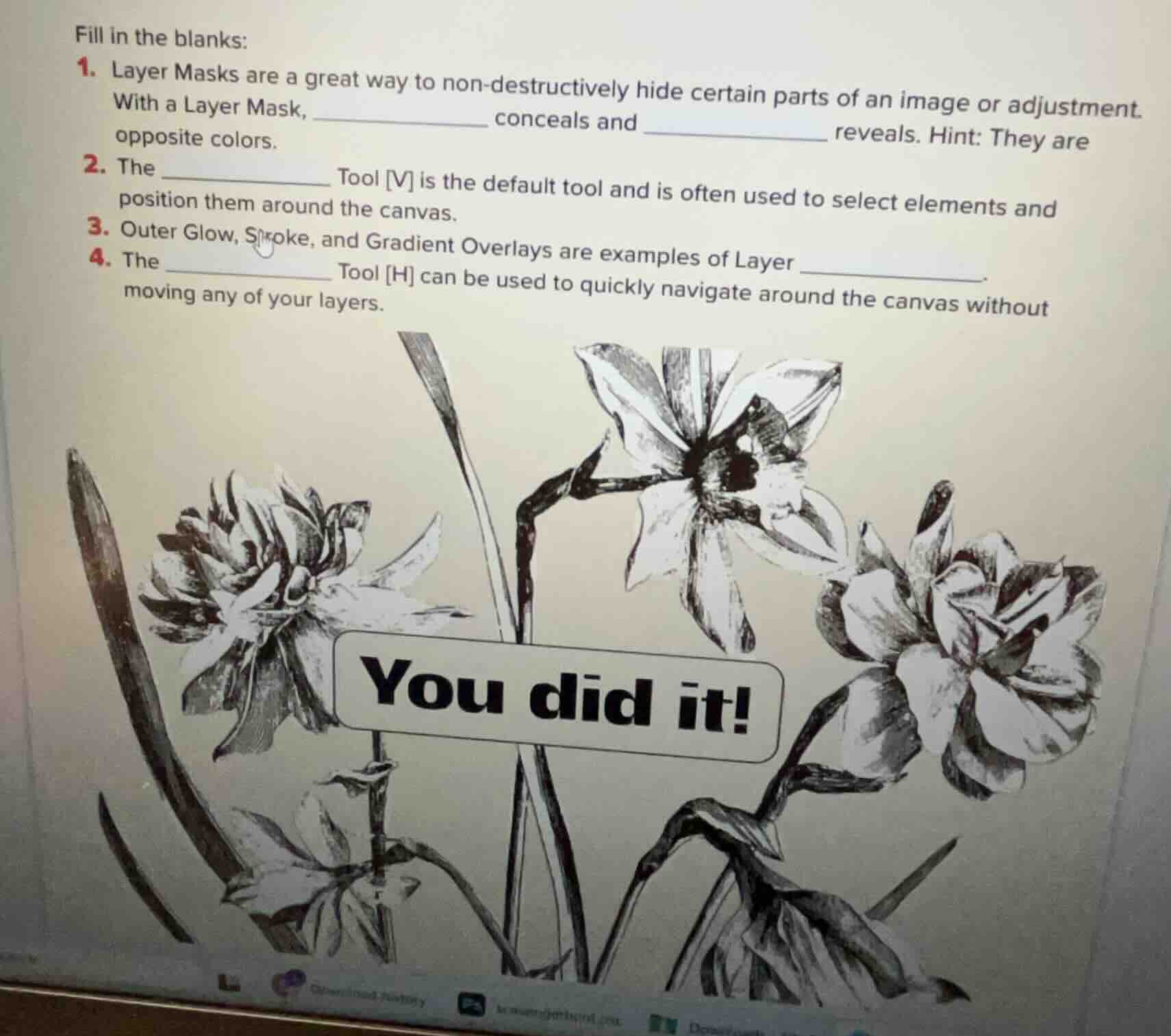
fill in the blanks: 1. layer masks are a great way to non - destructively hide certain parts of an image or adjustment. with a layer mask, ______ conceals and ____ reveals. hint: they are opposite colors. 2. the ____ tool v is the default tool and is often used to select elements and position them around the canvas. 3. outer glow, stroke, and gradient overlays are examples of layer ____. 4. the ______ tool h can be used to quickly navigate around the canvas without moving any of your layers.
Brief Explanations
- Layer masks use black to hide (conceal) parts of a layer and white to show (reveal) parts, as they are opposite colors.
- The Move Tool, shortcut [V], is the default tool for selecting and repositioning elements on the canvas.
- Outer Glow, Stroke, and Gradient Overlays are all types of Layer Styles in image editing software, which modify the appearance of a layer.
- The Hand Tool, shortcut [H], is used to pan/navigate around the canvas without altering layer positions.

Snap & solve any problem in the app
Get step-by-step solutions on Sovi AI
Photo-based solutions with guided steps
Explore more problems and detailed explanations
- black; white
- Move
- Styles
- Hand