QUESTION IMAGE
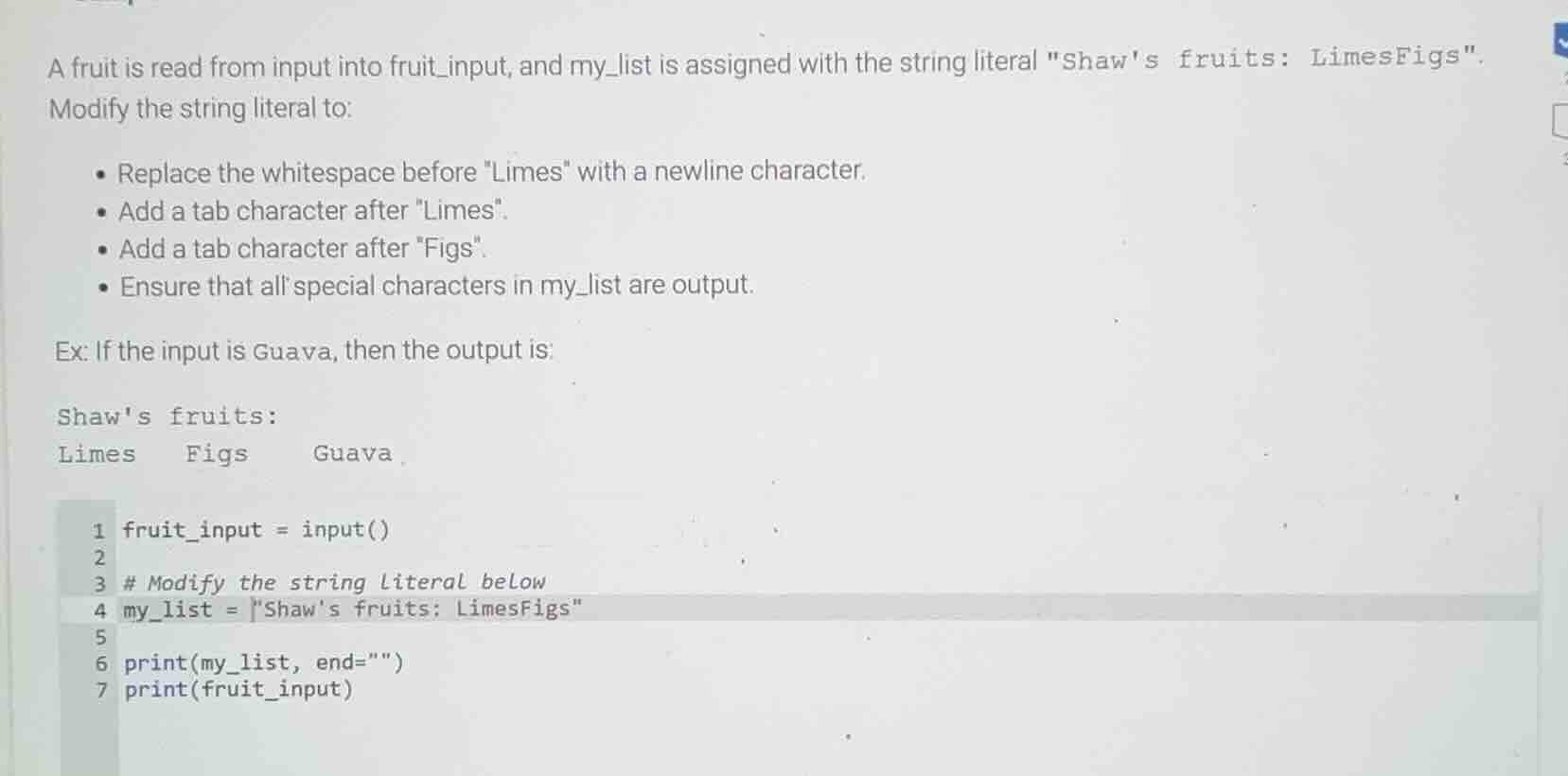
Question
a fruit is read from input into fruit_input, and my_list is assigned with the string literal \shaws fruits: limesfigs\.
modify the string literal to:
- replace the whitespace before \limes\ with a newline character.
- add a tab character after \limes\.
- add a tab character after \figs\.
- ensure that all special characters in my_list are output.
ex: if the input is guava, then the output is:
shaws fruits:
limes\tfigs\tguava
1 fruit_input = input()
2
3 # modify the string literal below
4 my_list = \shaws fruits: limesfigs\
5
6 print(my_list, end=\\)
7 print(fruit_input)
Step1: Replace space with newline
Change the whitespace before "Limes" to `
`, split the string to a new line.
Step2: Add tab after Limes
Insert \t right after "Limes" to add a tab.
Step3: Add tab after Figs
Insert \t right after "Figs" to add a tab.
Step4: Update the string literal
Combine the changes into the my_list string.
<Expression>
`my_list = "Shaw's fruits:
Limes\tFigs\t"`
</Expression>
Step5: Verify output flow
The print(my_list, end="") will output the modified string without an extra newline, then print(fruit_input) adds the input fruit with a tab-like spacing matching the example.

Snap & solve any problem in the app
Get step-by-step solutions on Sovi AI
Photo-based solutions with guided steps
Explore more problems and detailed explanations
The corrected code lines are:
fruit_input = input()
# Modify the string Literal below
my_list = "Shaw's fruits:
Limes\tFigs\t"
print(my_list, end="")
print(fruit_input)
When input is Guava, the output will be:
Shaw's fruits:
Limes   Figs    Guava