QUESTION IMAGE
Question
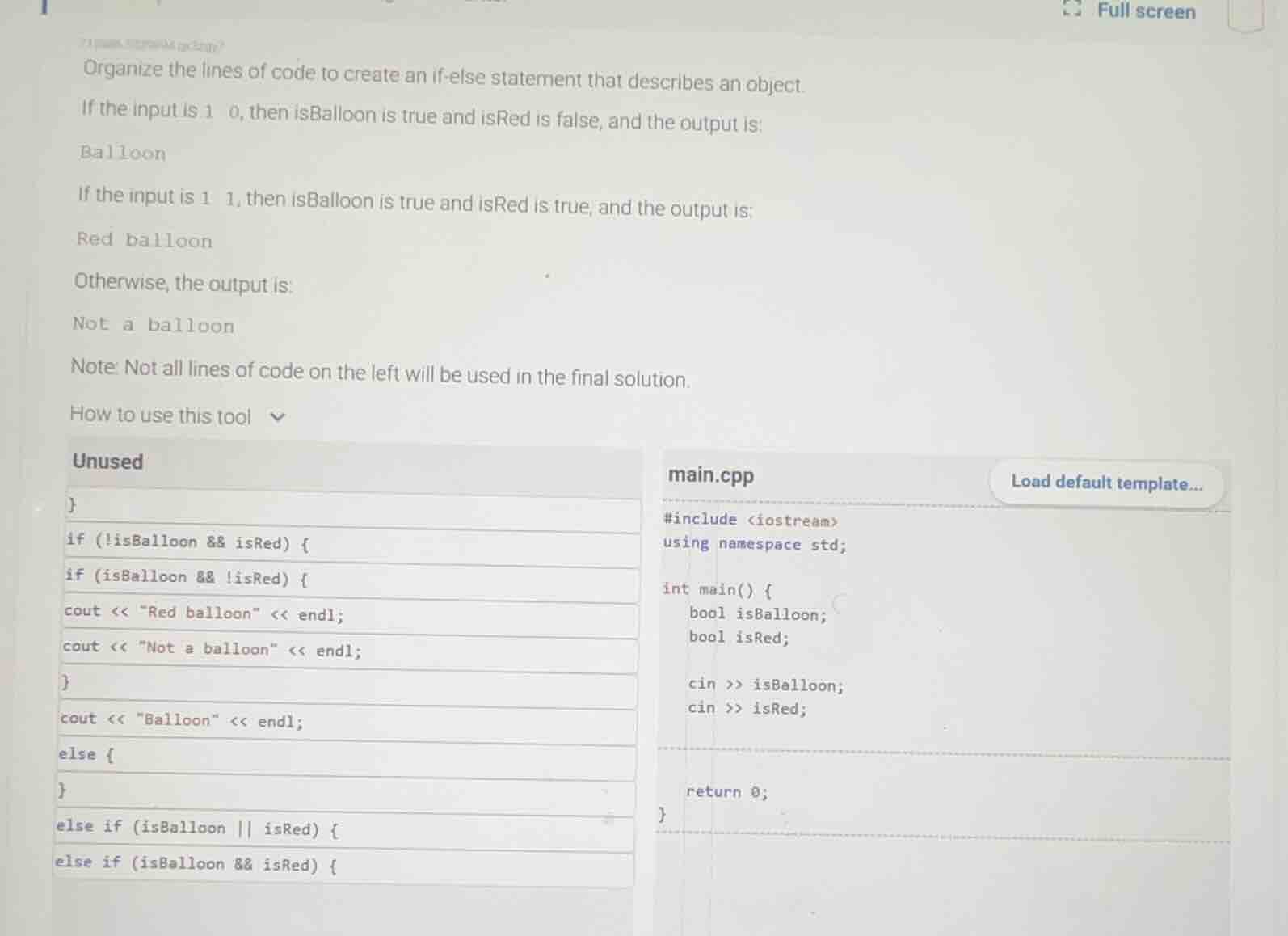
organize the lines of code to create an if - else statement that describes an object.
if the input is 1 0, then isballoon is true and isred is false, and the output is:
balloon
if the input is 1 1, then isballoon is true and isred is true, and the output is:
red balloon
otherwise, the output is:
not a balloon
note: not all lines of code on the left will be used in the final solution.
how to use this tool
unused
}
if (!isballoon && isred) {
if (isballoon &&!isred) {
cout <<
ed balloon\ << endl;
cout <<
ot a balloon\ << endl;
}
cout << \balloon\ << endl;
else {
}
else if (isballoon || isred) {
else if (isballoon && isred) {
main.cpp
#include <iostream>
using namespace std;
int main() {
bool isballoon;
bool isred;
cin >> isballoon;
cin >> isred;
return 0;
}
Step1: Add first condition check
if (isBalloon && !isRed) {Step2: Add balloon output
cout << "Balloon" << endl;Step3: Close first condition block
}Step4: Add second condition check
else if (isBalloon && isRed) {Step5: Add red balloon output
cout << "Red balloon" << endl;Step6: Close second condition block
}Step7: Add else block for other cases
else {Step8: Add non-balloon output
cout << "Not a balloon" << endl;Step9: Close else block
}
Snap & solve any problem in the app
Get step-by-step solutions on Sovi AI
Photo-based solutions with guided steps
Explore more problems and detailed explanations
The completed main.cpp code is:
#include <iostream>
using namespace std;

int main() {
    bool isBalloon;
    bool isRed;

    cin >> isBalloon;
    cin >> isRed;

    if (isBalloon && !isRed) {
        cout << "Balloon" << endl;
    }
    else if (isBalloon && isRed) {
        cout << "Red balloon" << endl;
    }
    else {
        cout << "Not a balloon" << endl;
    }

    return 0;
}