QUESTION IMAGE
Question
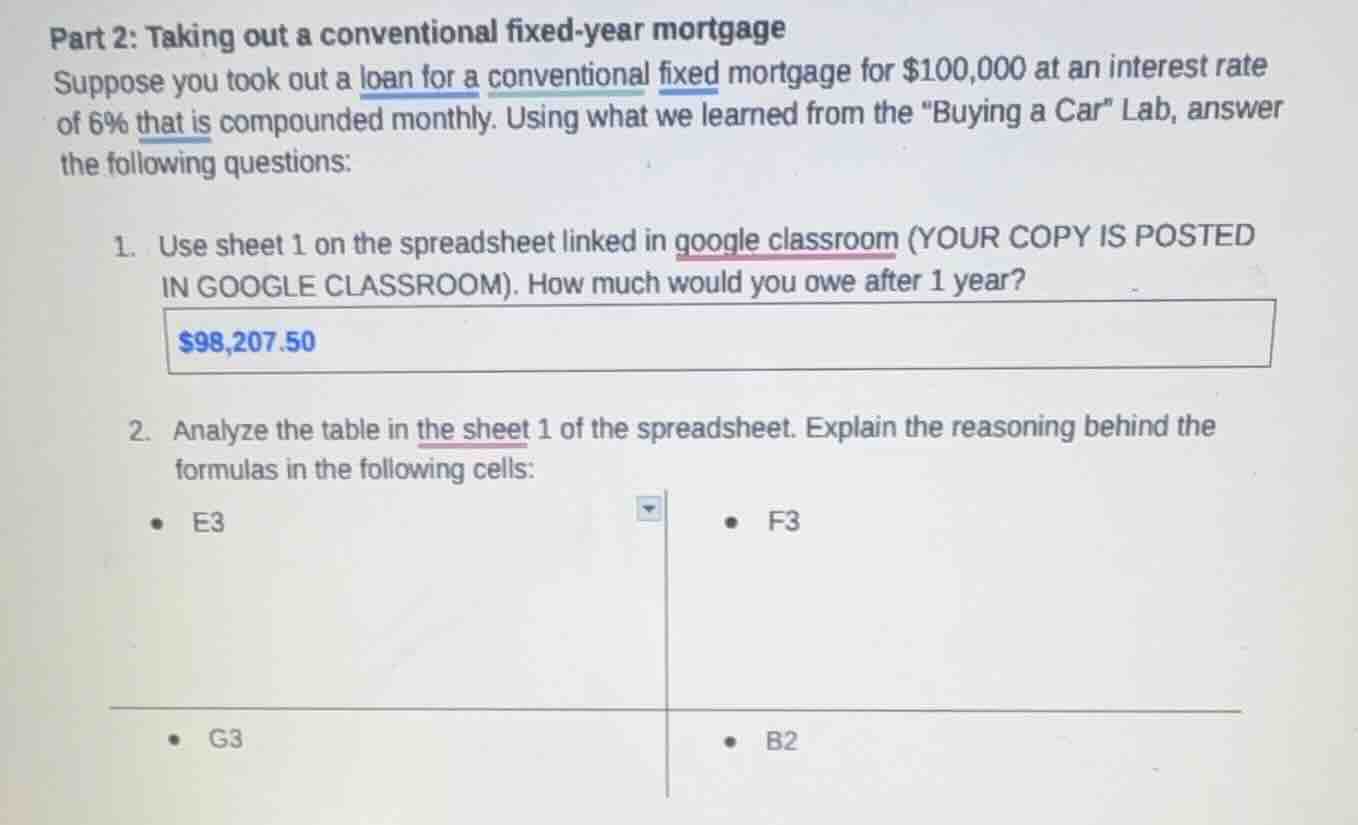
part 2: taking out a conventional fixed-year mortgage
suppose you took out a loan for a conventional fixed mortgage for $100,000 at an interest rate of 6% that is compounded monthly. using what we learned from the \buying a car\ lab, answer the following questions:
- use sheet 1 on the spreadsheet linked in google classroom (your copy is posted in google classroom). how much would you owe after 1 year?
$98,207.50
- analyze the table in the sheet 1 of the spreadsheet. explain the reasoning behind the formulas in the following cells:
- e3
- f3
- g3
- b2
Question 2 (Analysis of Spreadsheet Cells for Mortgage Calculation)
For Cell E3 (Typically Interest for the Period):
In a mortgage (or loan) amortization spreadsheet, cell E3 likely calculates the monthly interest. The formula for monthly interest on a loan is derived from the annual interest rate. If the annual rate is \( r \) (here, 6% or \( 0.06 \)) and compounded monthly, the monthly rate is \( \frac{r}{12} \). The interest for the month is then the remaining principal (from the previous period, say D3) multiplied by the monthly rate: \( \text{Interest} = \text{Principal Balance} \times \frac{\text{Annual Rate}}{12} \). So E3 probably uses \( = D3 * (\$B\$2 / 12) \), where B2 is the annual interest rate (6% or 0.06), and D3 is the principal balance at the start of the month. This computes the interest accrued on the outstanding principal for that month.
For Cell F3 (Typically Principal Payment):
Cell F3 is likely the principal portion of the monthly payment. The total monthly payment (from, say, C3, which is the fixed monthly mortgage payment) is split into interest (E3) and principal (F3). So the formula is \( = C3 - E3 \). This is because the monthly payment first covers the interest due, and the remainder reduces the principal balance.
For Cell G3 (Typically New Principal Balance):
Cell G3 shows the remaining principal after the monthly payment. It is calculated by subtracting the principal payment (F3) from the previous principal balance (D3). So the formula is \( = D3 - F3 \). This updates the principal balance for the next month’s calculation (interest is based on this new balance).
For Cell B2 (Annual Interest Rate):

Snap & solve any problem in the app
Get step-by-step solutions on Sovi AI
Photo-based solutions with guided steps
Explore more problems and detailed explanations
s (Summarized for Each Cell):
- E3: Calculates monthly interest: \( \text{Principal Balance (D3)} \times \frac{\text{Annual Rate (B2)}}{12} \) (to find interest on outstanding principal for the month).
- F3: Principal payment: \( \text{Monthly Payment (C3)} - \text{Monthly Interest (E3)} \) (payment minus interest reduces principal).
- G3: New principal: \( \text{Previous Principal (D3)} - \text{Principal Payment (F3)} \) (updates balance for next period).
- B2: Input for annual interest rate (6% or 0.06), used to compute monthly rate in interest calculations.