QUESTION IMAGE
Question
question 8
1 point
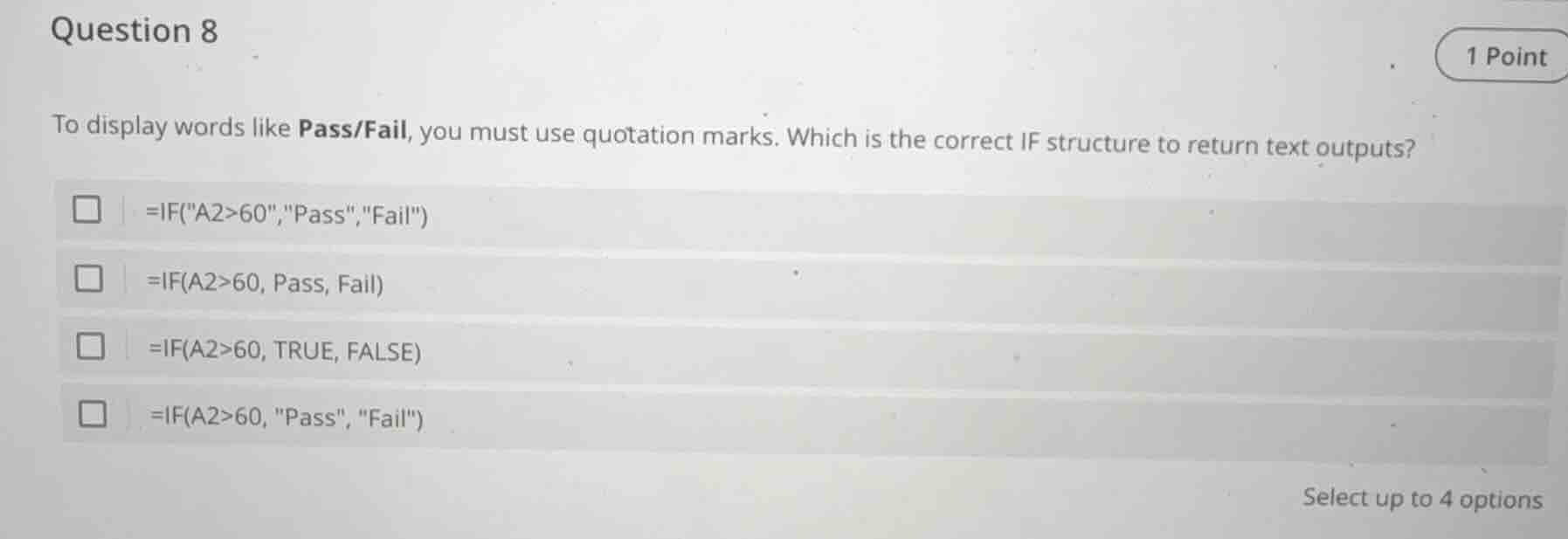
to display words like pass/fail, you must use quotation marks. which is the correct if structure to return text outputs?
□ =if(\a2>60\,\pass\,\fail\)
□ =if(a2>60, pass, fail)
□ =if(a2>60, true, false)
□ =if(a2>60, \pass\, \fail\)
select up to 4 options
Brief Explanations
- For the first option
=IF("A2>60","Pass","Fail"), the condition"A2>60"is treated as a text string, not a logical comparison of the value in cell A2, so it's incorrect. - For the second option
=IF(A2>60, Pass, Fail), the text outputs "Pass" and "Fail" are not in quotation marks, so Excel will treat them as undefined names (like variable names) instead of text, making it incorrect. - For the third option
=IF(A2>60, TRUE, FALSE), this returns boolean values (TRUE/FALSE) instead of the text "Pass"/"Fail", so it's incorrect. - For the fourth option
=IF(A2>60, "Pass", "Fail"), the conditionA2>60is a valid logical comparison, and the text outputs "Pass" and "Fail" are properly enclosed in quotation marks, so it's correct.

Snap & solve any problem in the app
Get step-by-step solutions on Sovi AI
Photo-based solutions with guided steps
Explore more problems and detailed explanations
D. =IF(A2>60, "Pass", "Fail")