QUESTION IMAGE
Question
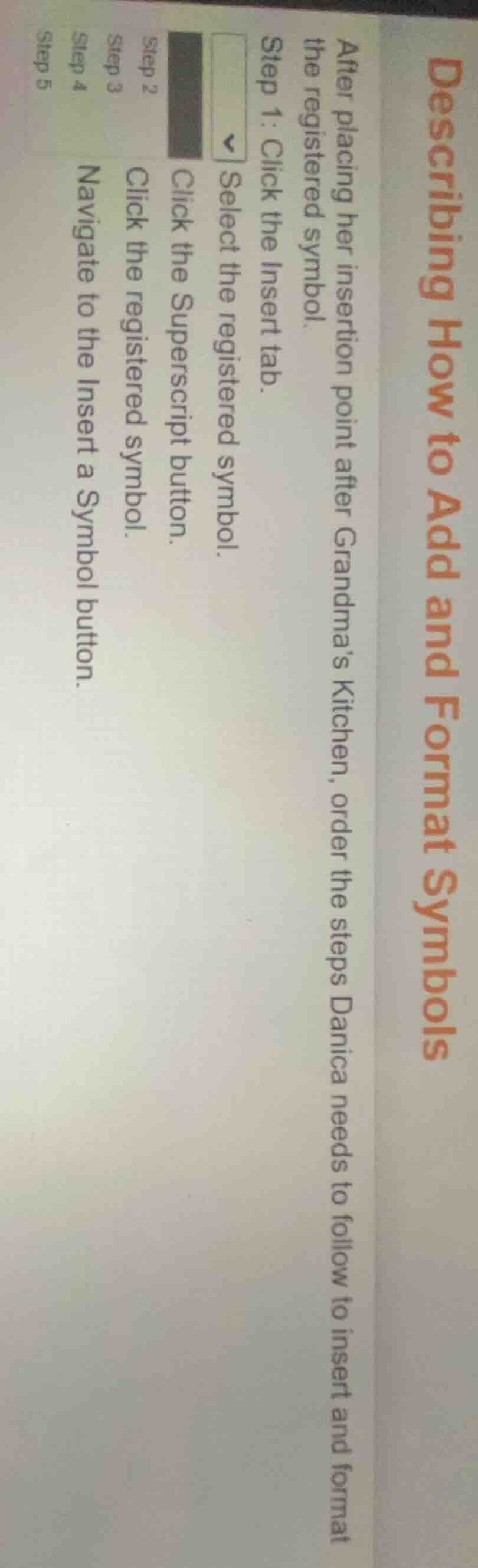
describing how to add and format symbols
after placing her insertion point after grandmas kitchen, order the steps danica needs to follow to insert and format the registered symbol.
step 1: click the insert tab.
□ select the registered symbol.
step 2: click the superscript button.
step 3: click the registered symbol.
step 4: navigate to the insert a symbol button.
step 5
This is the logical order to insert and format a registered trademark symbol in a word processing program: first access the Insert tab, then locate the symbol tool, select the registered symbol, insert it, and finally format it as a superscript.

Snap & solve any problem in the app
Get step-by-step solutions on Sovi AI
Photo-based solutions with guided steps
Explore more problems and detailed explanations
Step 1: Click the Insert tab.
Step 2: Navigate to the Insert a Symbol button.
Step 3: Select the registered symbol.
Step 4: Click the registered symbol.
Step 5: Click the Superscript button.