QUESTION IMAGE
Question
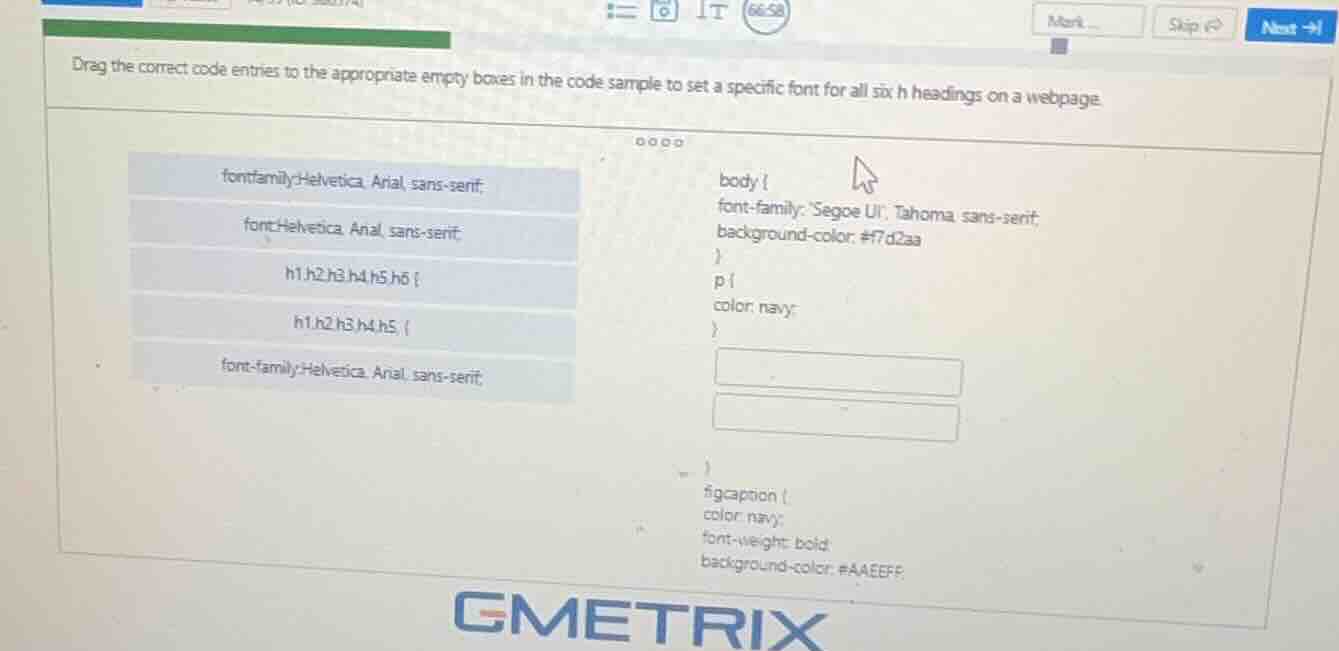
drag the correct code entries to the appropriate empty boxes in the code sample to set a specific font for all six h headings on a webpage.
fontfamily:helvetica, arial, sans-serif;
font:helvetica, arial, sans-serif;
h1,h2,h3,h4,h5,h6 {
h1,h2,h3,h4,h5, {
font-family:helvetica, arial, sans-serif;
body {
font-family: segoe ui, tahoma, sans-serif;
background-color: #f7d2aa
}
p {
color: navy;
}
}
figcaption {
color: navy;
font-weight: bold;
background-color: #aaeeff;
Step1: Select heading selector
Choose h1,h2,h3,h4,h5,h6 { as the selector for all 6 heading elements.
Step2: Select font property
Choose font-family:Helvetica, Arial, sans-serif; as the valid CSS font property.
Step3: Insert into code
Place the selector in the first empty box, and the property in the second.

Snap & solve any problem in the app
Get step-by-step solutions on Sovi AI
Photo-based solutions with guided steps
Explore more problems and detailed explanations
First empty box: h1,h2,h3,h4,h5,h6 {
Second empty box: font-family:Helvetica, Arial, sans-serif;
The completed code block for the headings will be:
h1,h2,h3,h4,h5,h6 {
font-family:Helvetica, Arial, sans-serif;
}