QUESTION IMAGE
Question
explaining how to add borders
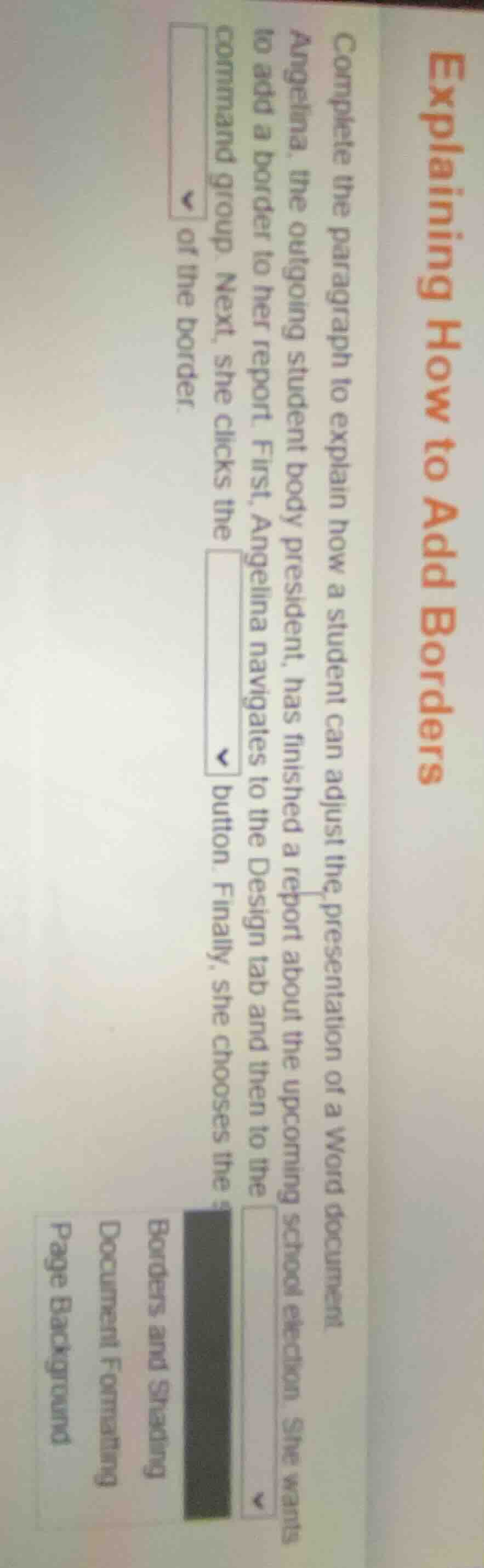
complete the paragraph to explain how a student can adjust the presentation of a word document.
angelina, the outgoing student body president, has finished a report about the upcoming school election. she wants to add a border to her report. first, angelina navigates to the design tab and then to the ▼ command group. next, she clicks the ▼ button. finally, she chooses the ▼ of the border.
borders and shading
document formatting
page background
The steps describe adding borders to a Word document. First, the Design tab's relevant command group for page and document formatting is Page Background. Then, the button to access border settings is Borders and Shading. Finally, you select the specific style (like a full border or specific sides) of the border.

Snap & solve any problem in the app
Get step-by-step solutions on Sovi AI
Photo-based solutions with guided steps
Explore more problems and detailed explanations
- Page Background
- Borders and Shading
- specific style (e.g., full border, single side)