QUESTION IMAGE
Question
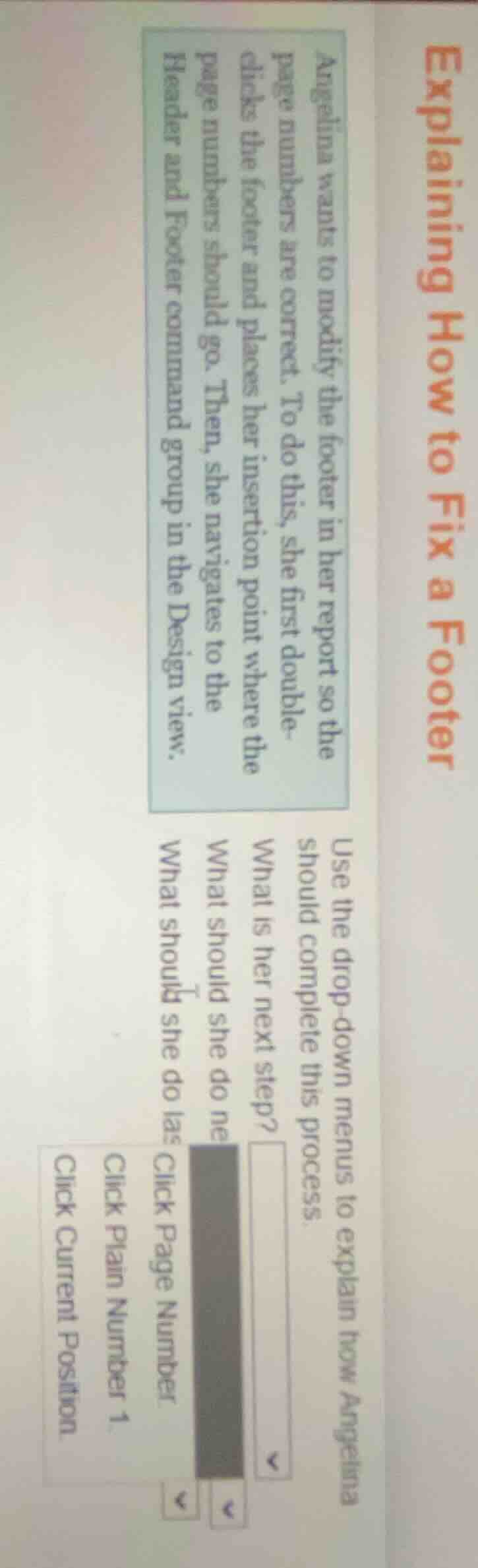
explaining how to fix a footer
angelina wants to modify the footer in her report so the page numbers are correct. to do this, she first double-clicks the footer and places her insertion point where the page numbers should go. then, she navigates to the header and footer command group in the design view.
use the drop-down menus to explain how angelina should complete this process.
what is her next step?
what should she do next
what should she do last
click page number
click plain number 1
click current position
- After navigating to the Header and Footer command group in Design view, the next step is to access the page number options.
- After accessing the page number options, the next step is to select a basic page number style.
- Finally, to place the page number in the desired position, this action completes the footer adjustment.

Snap & solve any problem in the app
Get step-by-step solutions on Sovi AI
Photo-based solutions with guided steps
Explore more problems and detailed explanations
What is her next step? -> Click Page Number
What should she do next? -> Click Plain Number 1
What should she do last? -> Click Current Position