QUESTION IMAGE
Question
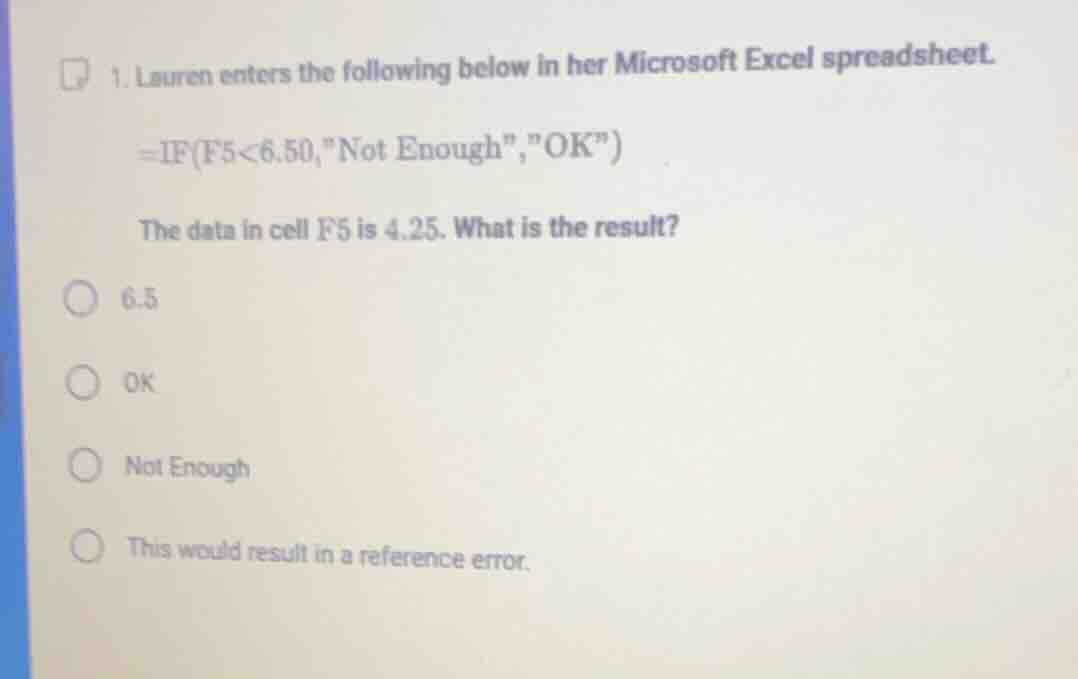
- lauren enters the following below in her microsoft excel spreadsheet. =if(f5<6.50,
ot enough\,\ok\) the data in cell f5 is 4.25. what is the result? 6.5 ok not enough this would result in a reference error.
Step1: Analyze the IF function
The IF function in Excel is structured as =IF(logical_test, value_if_true, value_if_false). Here, the logical test is F5 < 6.50, value if true is "Not Enough", and value if false is "OK".
Step2: Evaluate the logical test
The value in cell F5 is 4.25. We check if \( 4.25 < 6.50 \). Since \( 4.25 \) is less than \( 6.50 \), the logical test is true.
Step3: Determine the result
Since the logical test is true, we use the value_if_true, which is "Not Enough".

Snap & solve any problem in the app
Get step-by-step solutions on Sovi AI
Photo-based solutions with guided steps
Explore more problems and detailed explanations
Not Enough (corresponding to the option "Not Enough")