QUESTION IMAGE
Question
multiple-choice question
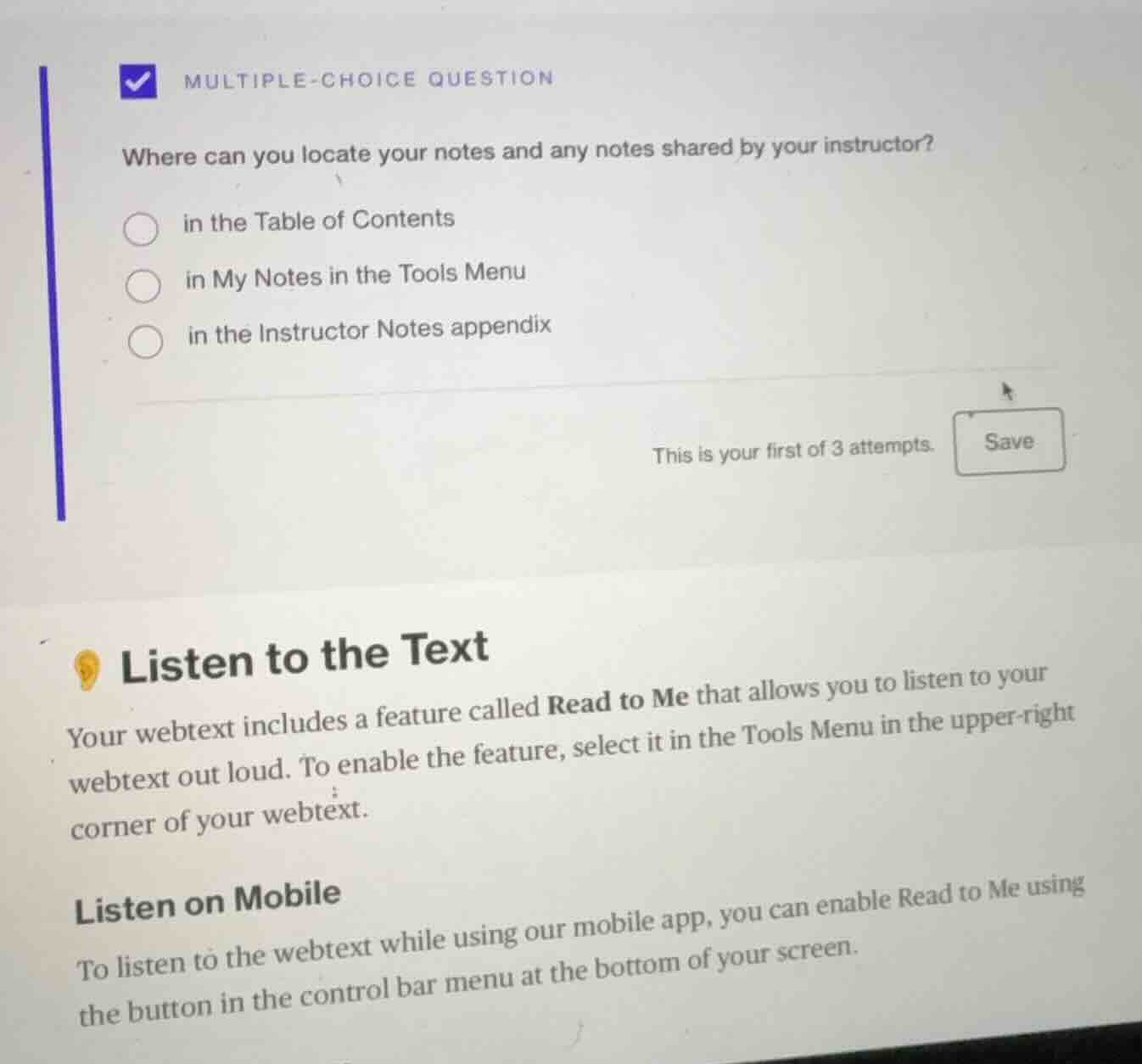
where can you locate your notes and any notes shared by your instructor?
○ in the table of contents
○ in my notes in the tools menu
○ in the instructor notes appendix
this is your first of 3 attempts. save
listen to the text
your webtext includes a feature called read to me that allows you to listen to your
webtext out loud. to enable the feature, select it in the tools menu in the upper-right
corner of your webtext.
listen on mobile
to listen to the webtext while using our mobile app, you can enable read to me using
the button in the control bar menu at the bottom of your screen.
The Table of Contents is for navigating content structure, not notes. The Instructor Notes appendix is not a typical place for personal and shared notes. "My Notes in the Tools Menu" is a logical place for storing personal notes and accessing shared instructor notes in an educational platform context.

Snap & solve any problem in the app
Get step-by-step solutions on Sovi AI
Photo-based solutions with guided steps
Explore more problems and detailed explanations
B. in My Notes in the Tools Menu