QUESTION IMAGE
Question
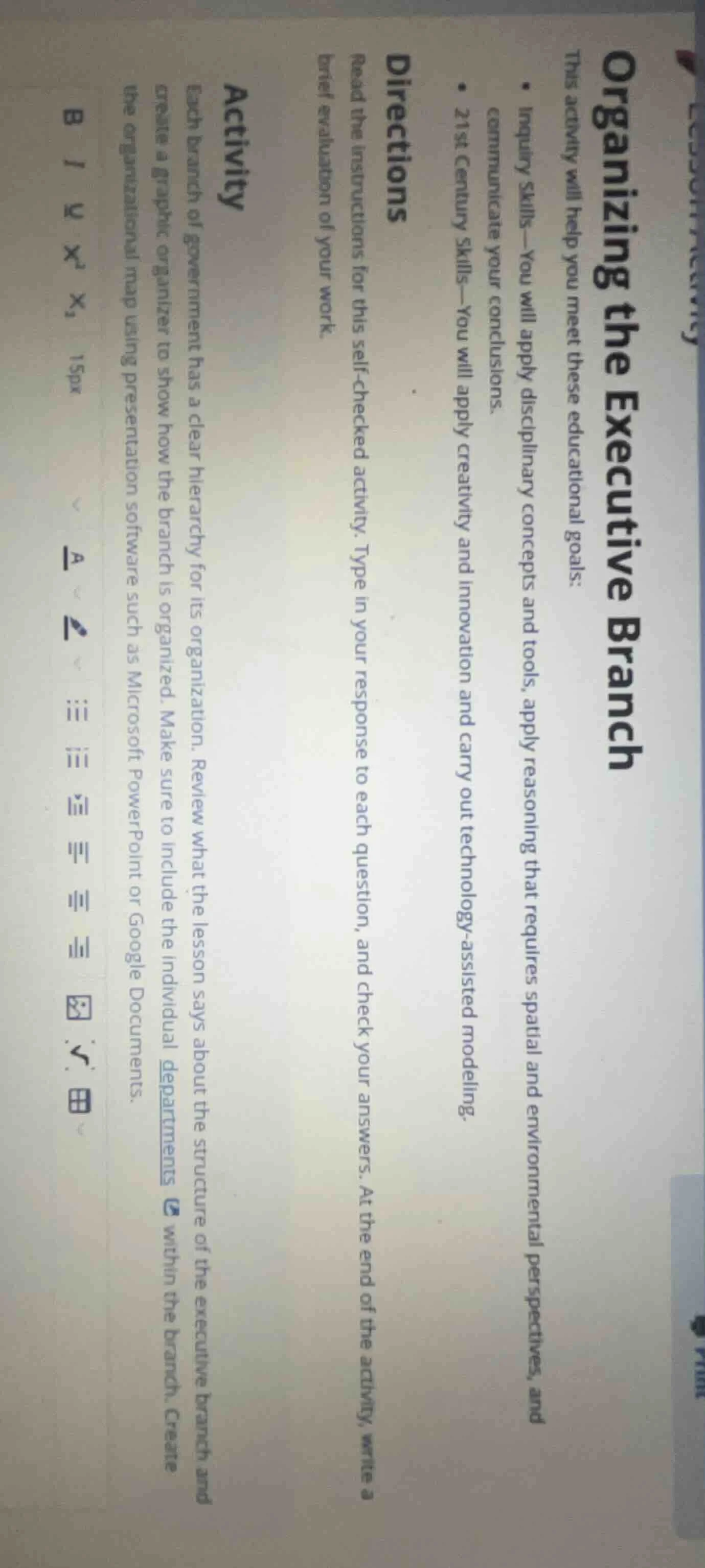
organizing the executive branch
this activity will help you meet these educational goals:
- inquiry skills—you will apply disciplinary concepts and tools, apply reasoning that requires spatial and environmental perspectives, and communicate your conclusions.
- 21st century skills—you will apply creativity and innovation and carry out technology - assisted modeling.
directions
read the instructions for this self - checked activity. type in your response to each question, and check your answers. at the end of the activity, write a brief evaluation of your work.
activity
each branch of government has a clear hierarchy for its organization. review what the lesson says about the structure of the executive branch and create a graphic organizer to show how the branch is organized. make sure to include the individual departments within the branch. create the organizational map using presentation software such as microsoft powerpoint or google documents.
To complete this activity about organizing the executive branch, follow these steps:
Step 1: Review Lesson Content
Recall or re - read the lesson material on the structure of the executive branch (e.g., the hierarchy, departments, and their roles). This will give you the necessary information to create an accurate graphic organizer.
Step 2: Identify the Branch’s Hierarchy
Determine the top - level structure of the executive branch. For example, in the U.S. context, the executive branch is led by the President. Under the President, there are key components like the Vice President, the Cabinet (composed of heads of executive departments), and independent agencies.
Step 3: List Departments/Units
Identify the individual departments within the executive branch. In the U.S., these include the Department of State, Department of Treasury, Department of Defense, Department of Justice, etc. Also, note independent agencies such as the Environmental Protection Agency (EPA) or the Federal Bureau of Investigation (FBI).
Step 4: Choose a Graphic Organizer Tool
Select a presentation software like Microsoft PowerPoint or Google Documents. In PowerPoint, you can use shapes and text boxes to create a hierarchical diagram. In Google Documents, you can use the drawing tool or a table to structure the information.
Step 5: Create the Graphic Organizer
- Top Level: Place the head of the executive branch (e.g., the President) at the top.
- Second Level: Add direct subordinates or major divisions (e.g., Vice President, Cabinet, independent agencies).
- Lower Levels: For each major division, add the departments or units within it. For example, under the Cabinet, list the different executive departments and their functions.
Step 6: Add Details
Include brief descriptions of each department’s role (e.g., the Department of State handles foreign policy, the Department of Treasury manages financial matters). This will make the graphic organizer more informative.
Step 7: Review and Refine
Check your graphic organizer against the lesson content to ensure accuracy. Make sure the hierarchy is clear and all relevant departments/units are included. Adjust the layout for readability.
Step 8: Write a Brief Evaluation
Reflect on your work. For example, you could write: “This graphic organizer clearly shows the hierarchy of the executive branch, from the President down to individual departments. It includes key departments and their roles, helping to visualize how the branch is organized to carry out its functions.”
If you need help with a specific aspect (e.g., identifying departments in a different country’s executive branch or using a specific software feature), provide more details!

Snap & solve any problem in the app
Get step-by-step solutions on Sovi AI
Photo-based solutions with guided steps
Explore more problems and detailed explanations
To complete this activity about organizing the executive branch, follow these steps:
Step 1: Review Lesson Content
Recall or re - read the lesson material on the structure of the executive branch (e.g., the hierarchy, departments, and their roles). This will give you the necessary information to create an accurate graphic organizer.
Step 2: Identify the Branch’s Hierarchy
Determine the top - level structure of the executive branch. For example, in the U.S. context, the executive branch is led by the President. Under the President, there are key components like the Vice President, the Cabinet (composed of heads of executive departments), and independent agencies.
Step 3: List Departments/Units
Identify the individual departments within the executive branch. In the U.S., these include the Department of State, Department of Treasury, Department of Defense, Department of Justice, etc. Also, note independent agencies such as the Environmental Protection Agency (EPA) or the Federal Bureau of Investigation (FBI).
Step 4: Choose a Graphic Organizer Tool
Select a presentation software like Microsoft PowerPoint or Google Documents. In PowerPoint, you can use shapes and text boxes to create a hierarchical diagram. In Google Documents, you can use the drawing tool or a table to structure the information.
Step 5: Create the Graphic Organizer
- Top Level: Place the head of the executive branch (e.g., the President) at the top.
- Second Level: Add direct subordinates or major divisions (e.g., Vice President, Cabinet, independent agencies).
- Lower Levels: For each major division, add the departments or units within it. For example, under the Cabinet, list the different executive departments and their functions.
Step 6: Add Details
Include brief descriptions of each department’s role (e.g., the Department of State handles foreign policy, the Department of Treasury manages financial matters). This will make the graphic organizer more informative.
Step 7: Review and Refine
Check your graphic organizer against the lesson content to ensure accuracy. Make sure the hierarchy is clear and all relevant departments/units are included. Adjust the layout for readability.
Step 8: Write a Brief Evaluation
Reflect on your work. For example, you could write: “This graphic organizer clearly shows the hierarchy of the executive branch, from the President down to individual departments. It includes key departments and their roles, helping to visualize how the branch is organized to carry out its functions.”
If you need help with a specific aspect (e.g., identifying departments in a different country’s executive branch or using a specific software feature), provide more details!