QUESTION IMAGE
Question
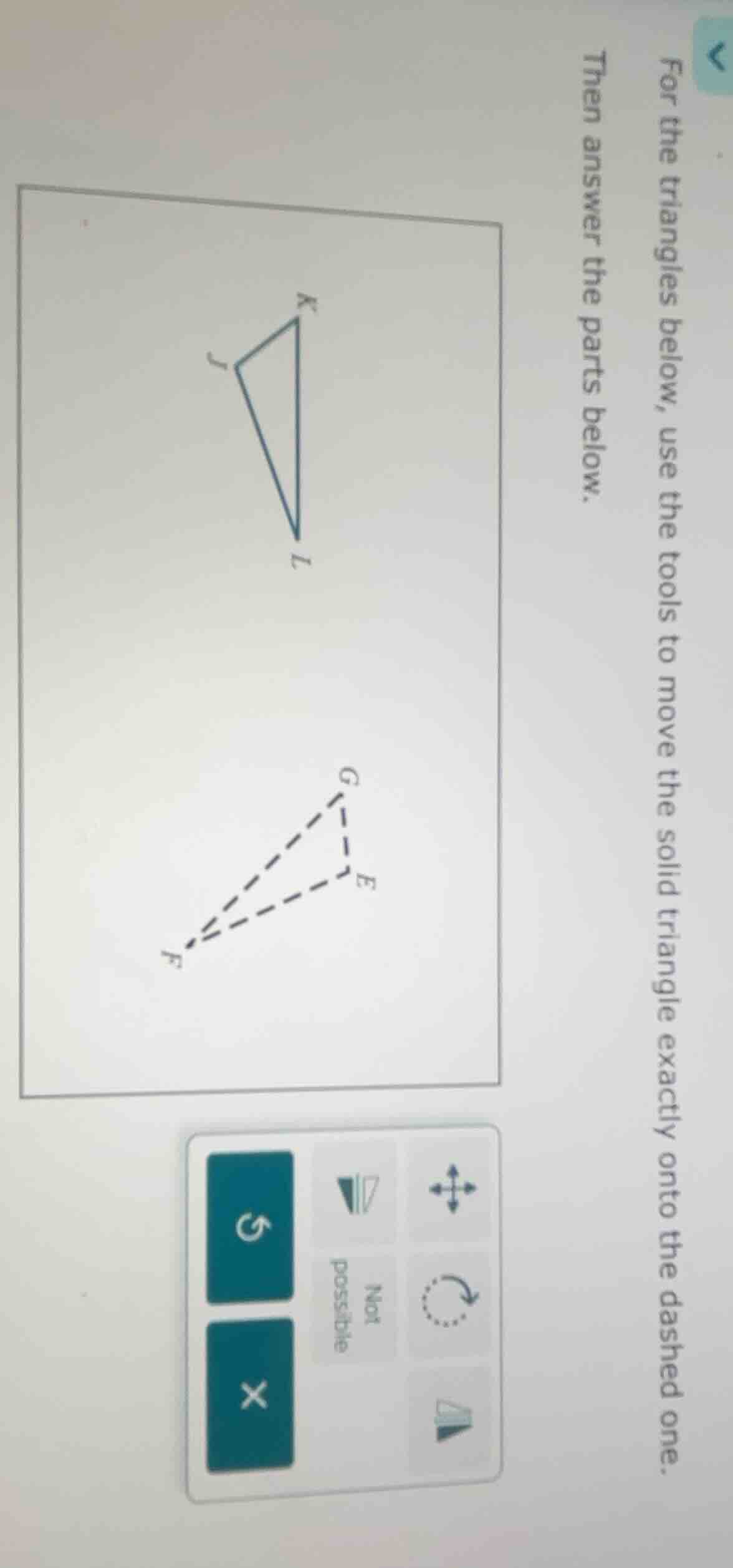
for the triangles below, use the tools to move the solid triangle exactly onto the dashed one. then answer the parts below.
Step1: Analyze Triangle Orientation
First, observe the solid triangle \( \triangle JKL \) and the dashed triangle \( \triangle FGE \). We need to check if a rotation (using the rotation tool) can align \( \triangle JKL \) with \( \triangle FGE \).
Step2: Apply Rotation
Use the rotation tool (the circular arrow) to rotate the solid triangle. By rotating \( \triangle JKL \) around a suitable point (e.g., a corresponding vertex or midpoint), we can see that it is possible to align the solid triangle with the dashed one. So the "Not possible" button is incorrect, and the correct assessment is that it is possible.

Snap & solve any problem in the app
Get step-by-step solutions on Sovi AI
Photo-based solutions with guided steps
Explore more problems and detailed explanations
To solve this, we analyze the triangles:
- Observe the shapes: The solid triangle \( \triangle JKL \) and dashed \( \triangle FGE \) have the same shape (congruent, as they are triangles that can be aligned via rotation).
- Use the rotation tool: Rotating \( \triangle JKL \) (with the circular arrow button) aligns it with \( \triangle FGE \), so it is possible to move the solid triangle onto the dashed one.
Thus, the correct choice (to replace "Not possible") is that it is possible (the button indicating "possible" should be selected, or the conclusion is that alignment via rotation is possible).